Internal LB Rule
An internal Load Balancer (LB) is a type of load balancer that routes traffic to workloads within a private virtual network (VNet).
Creating a New Internal LB Rule
To create a new Internal LB Rule, follow these steps:
- Navigate to Networking > Virtual Private Clouds. The following screen appears:
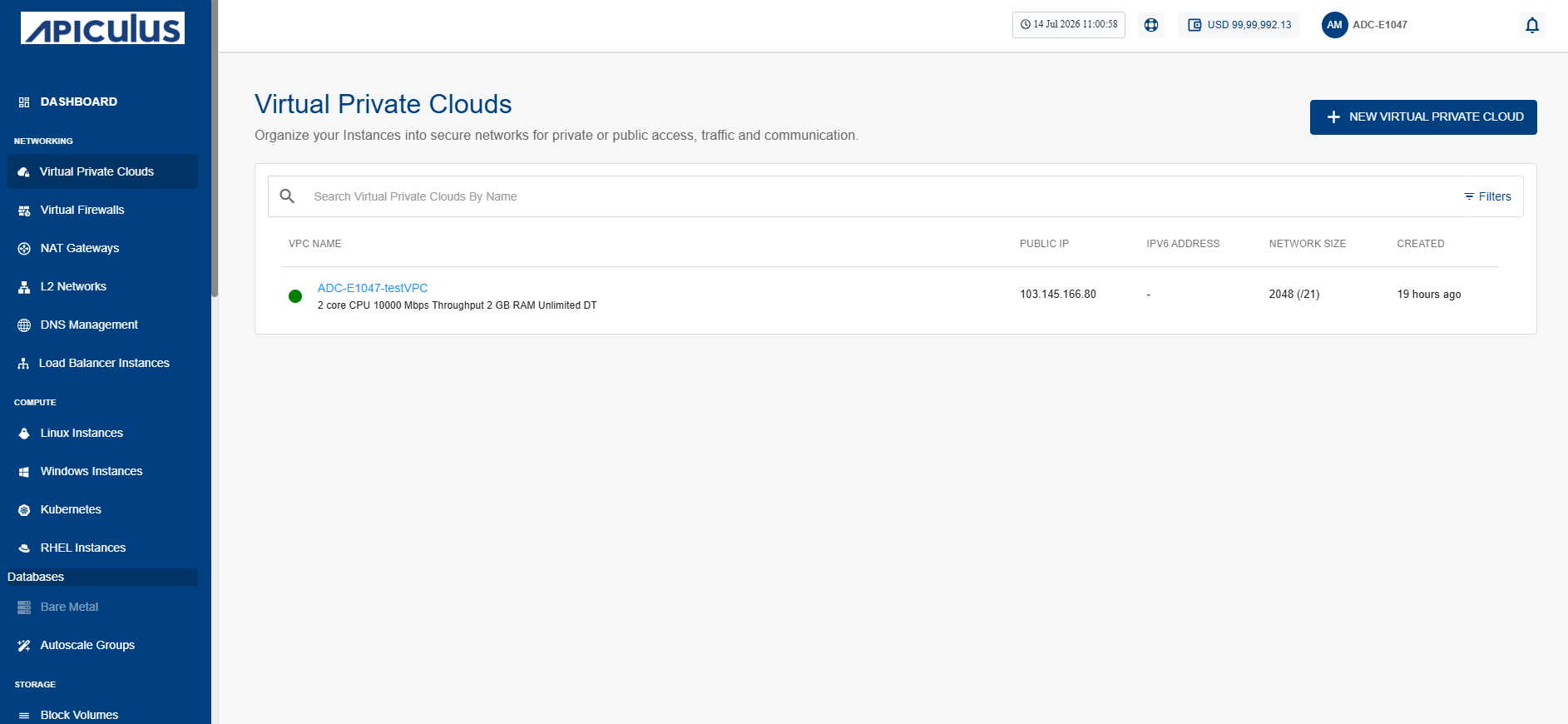
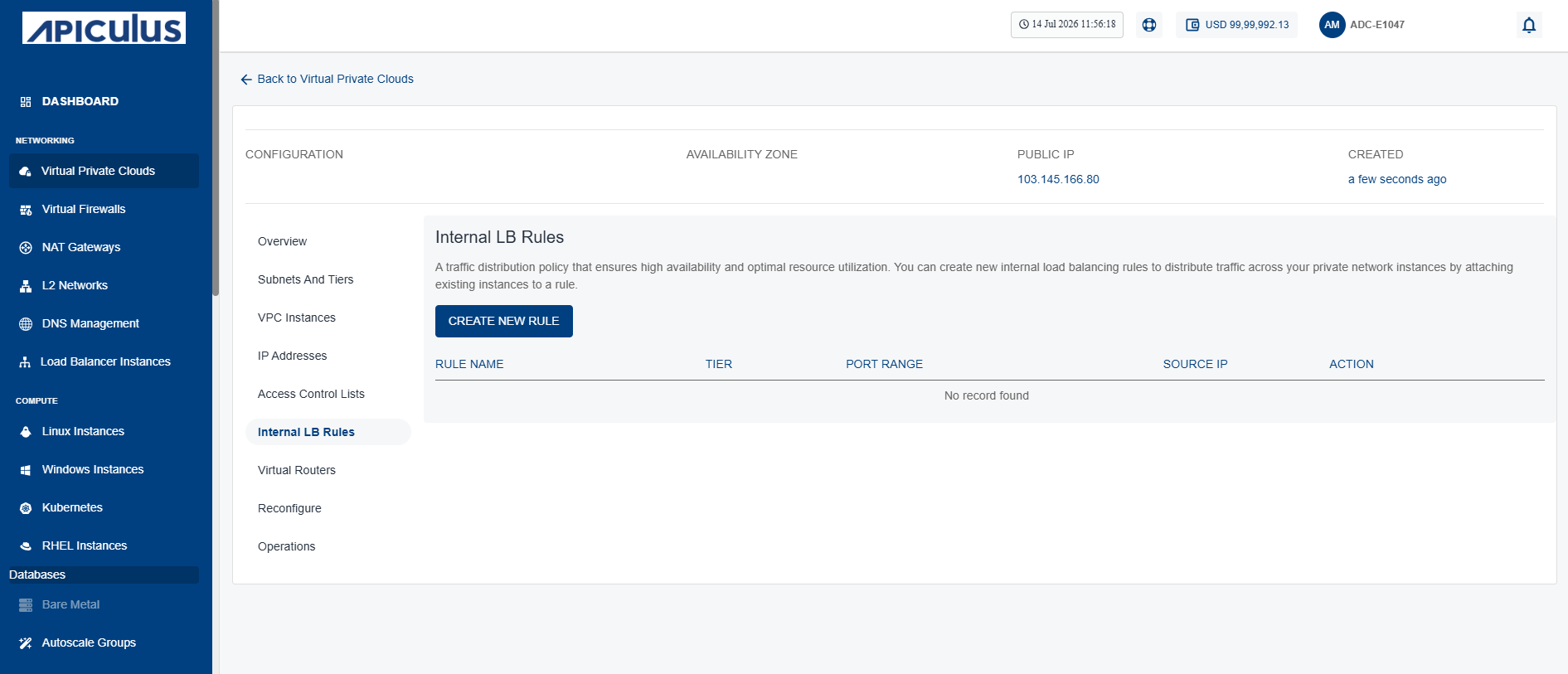
- Click the VPC name and navigate to the Internal LB Rules tab. The following screen appears:
- Click the New Rule button (highlighted in red).
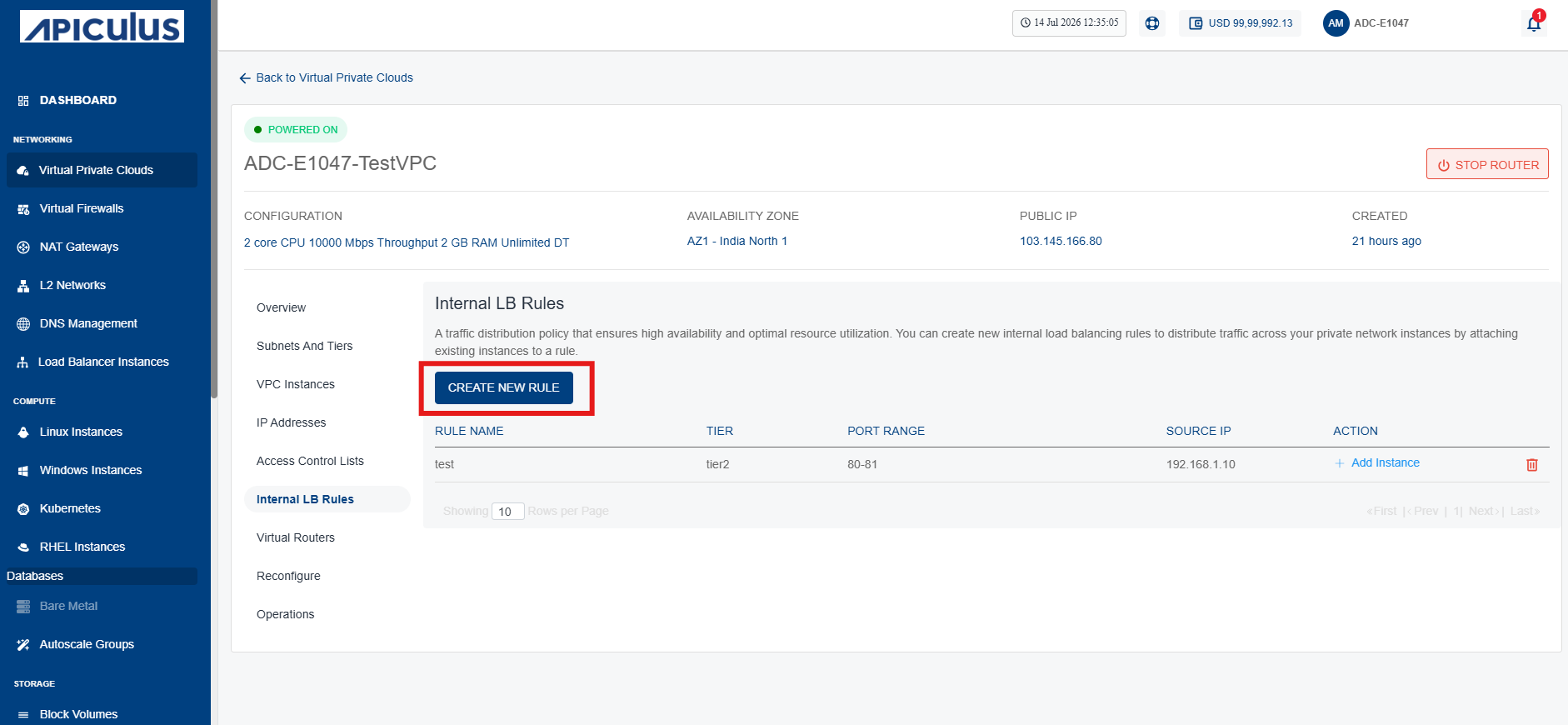 The following screen appears:
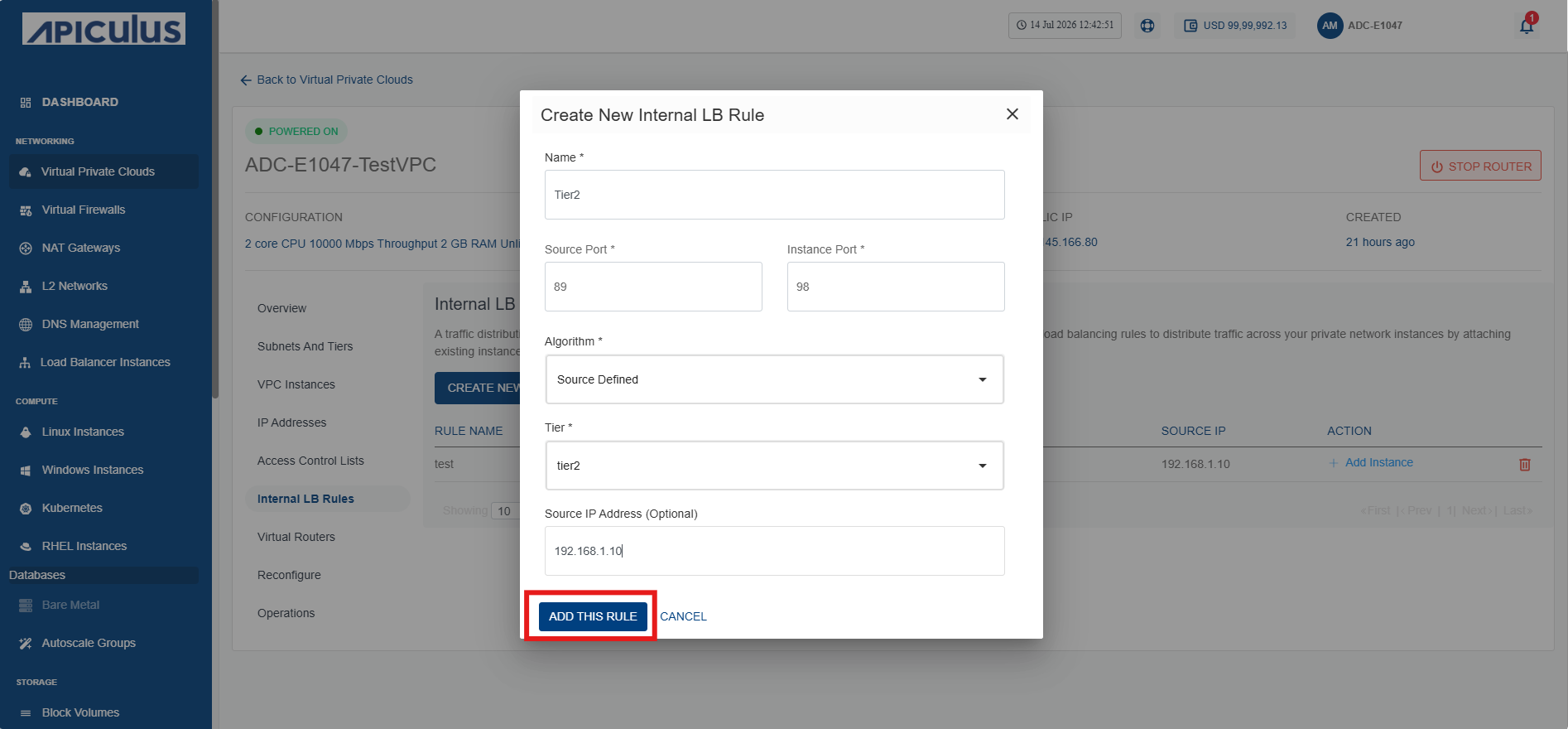
- Provide the details on the Create New Internal LB Rule screen.
- Click the Add this Rule button (highlighted in red).
Adding an Instance
To add an instance, follow these steps:
- Navigate to Networking > Virtual Private Clouds. The following screen appears:
- Click the VPC name and navigate to the Internal LB Rules tab. The following screen appears:
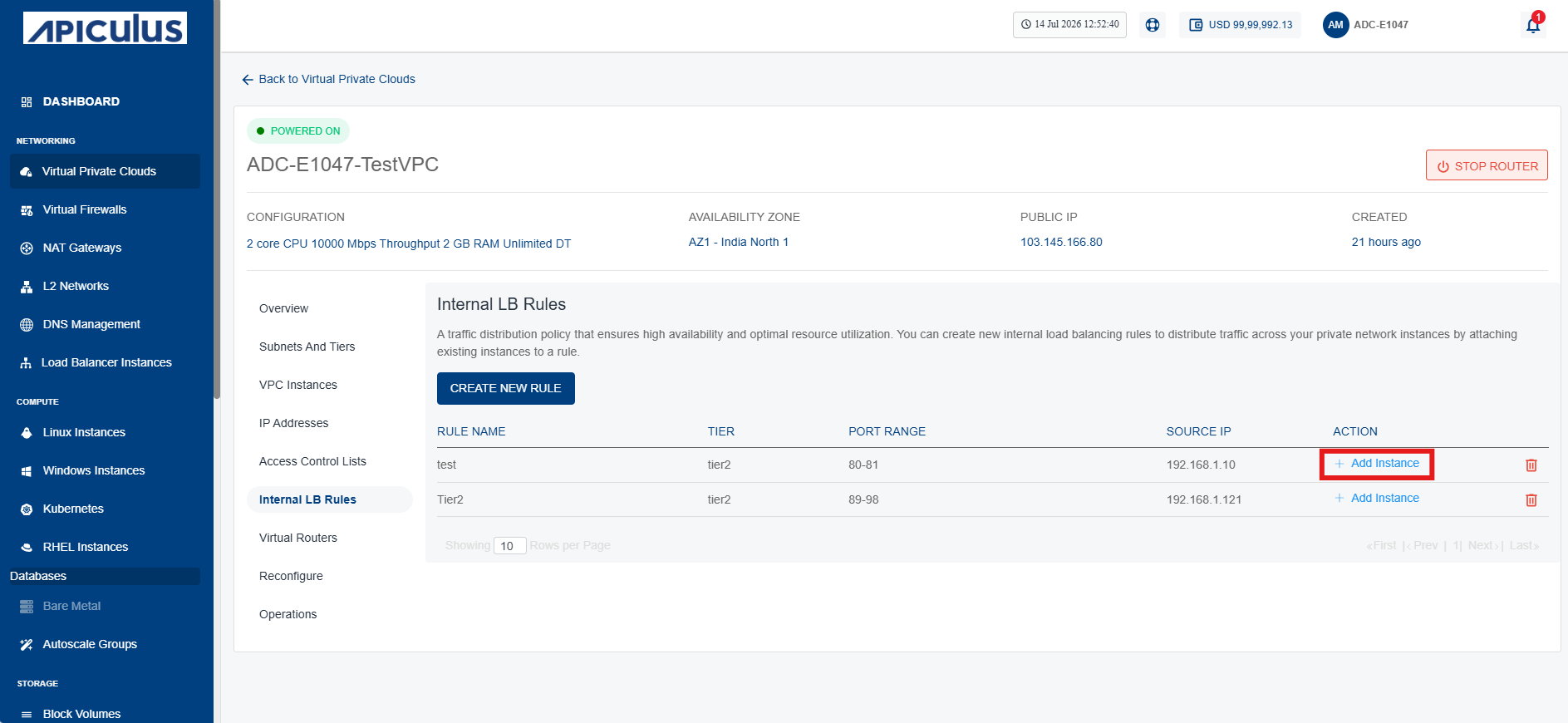
- Click on Add Instance icon (highlighted in red). The following screen appears:
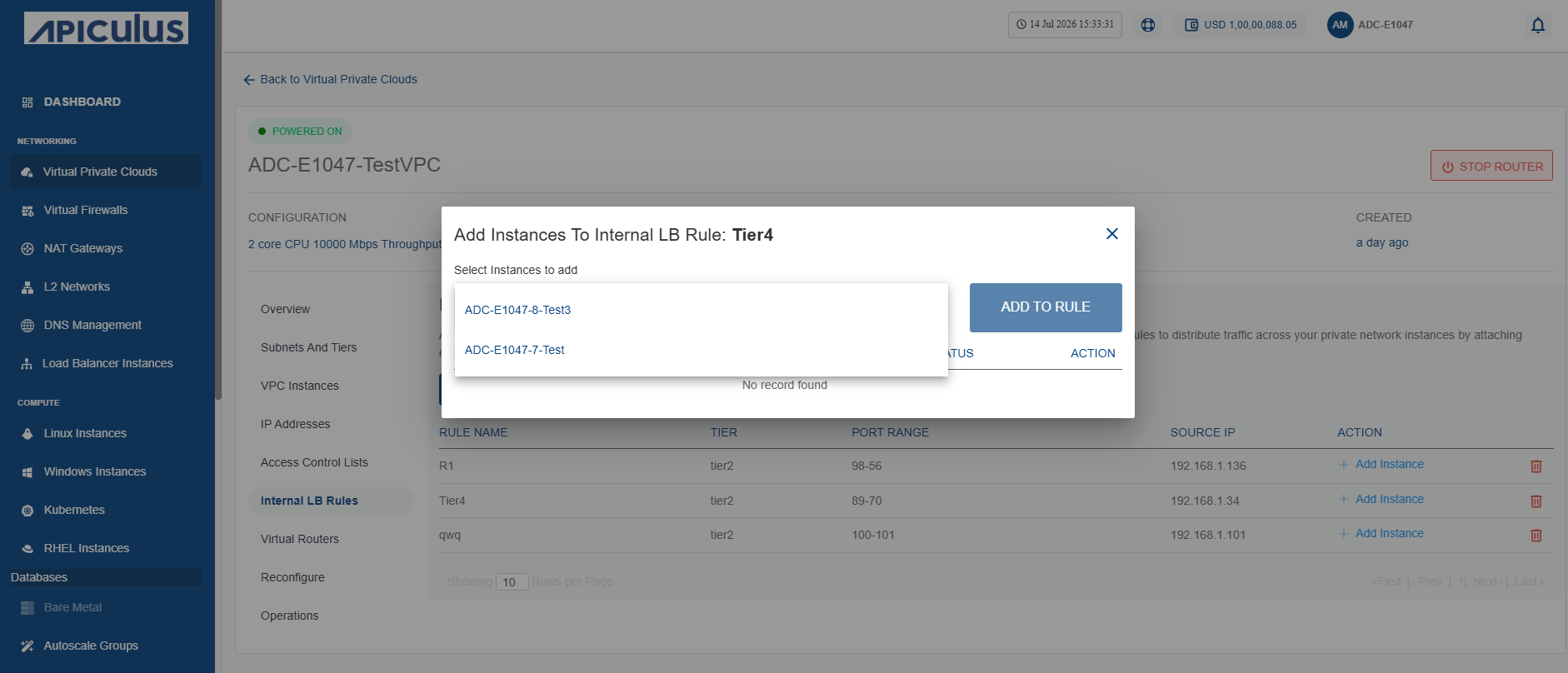
- Select the instance to add in Internal LB Rule.
- Click the Add to Rule button.
Deleting an Instance
To delete an instance, follow these steps:
- Navigate to Networking > Virtual Private Clouds. The following screen appears:
- Click the VPC name and navigate to the Internal LB Rules tab. The following screen appears:
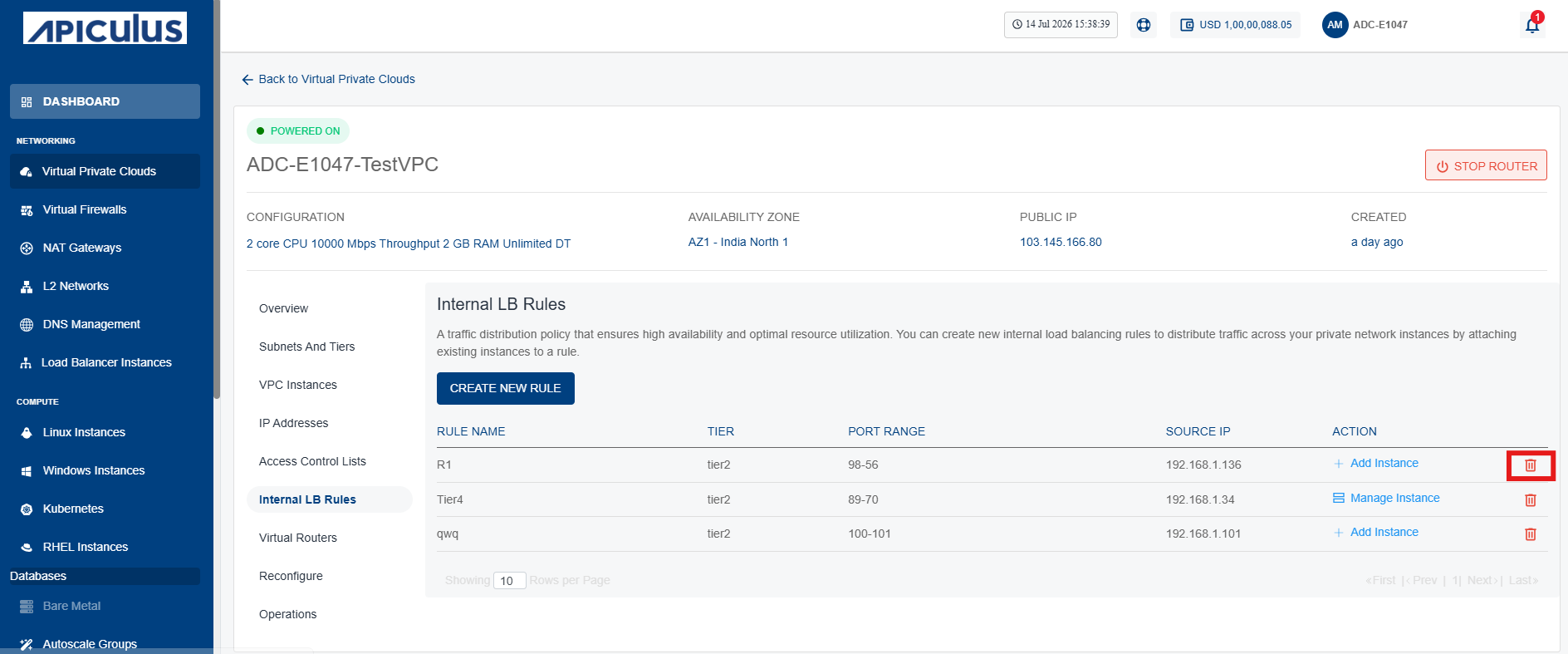
- Click the Delete icon (highlighted in red). The following screen appears:
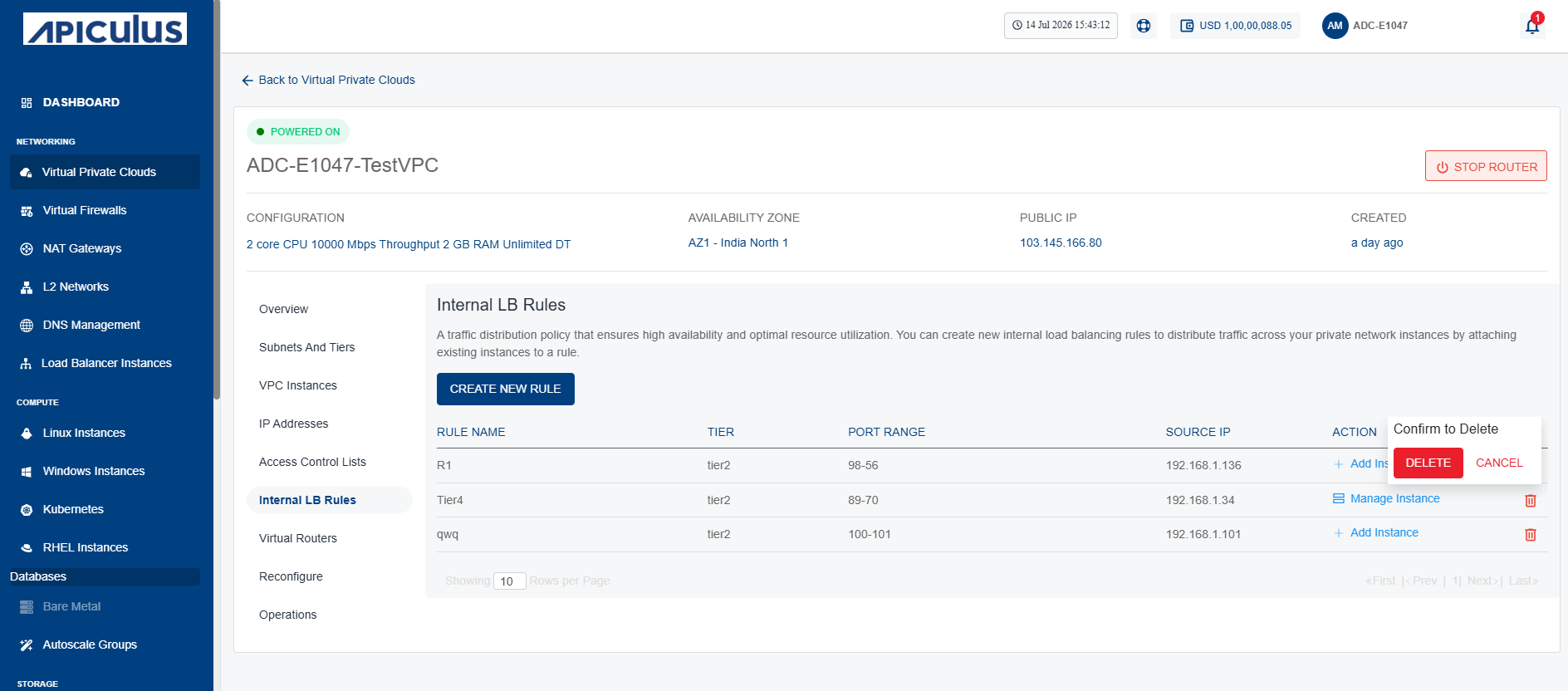
- Click the Delete button.