Managing VPC Instances
Viewing VPC Instances
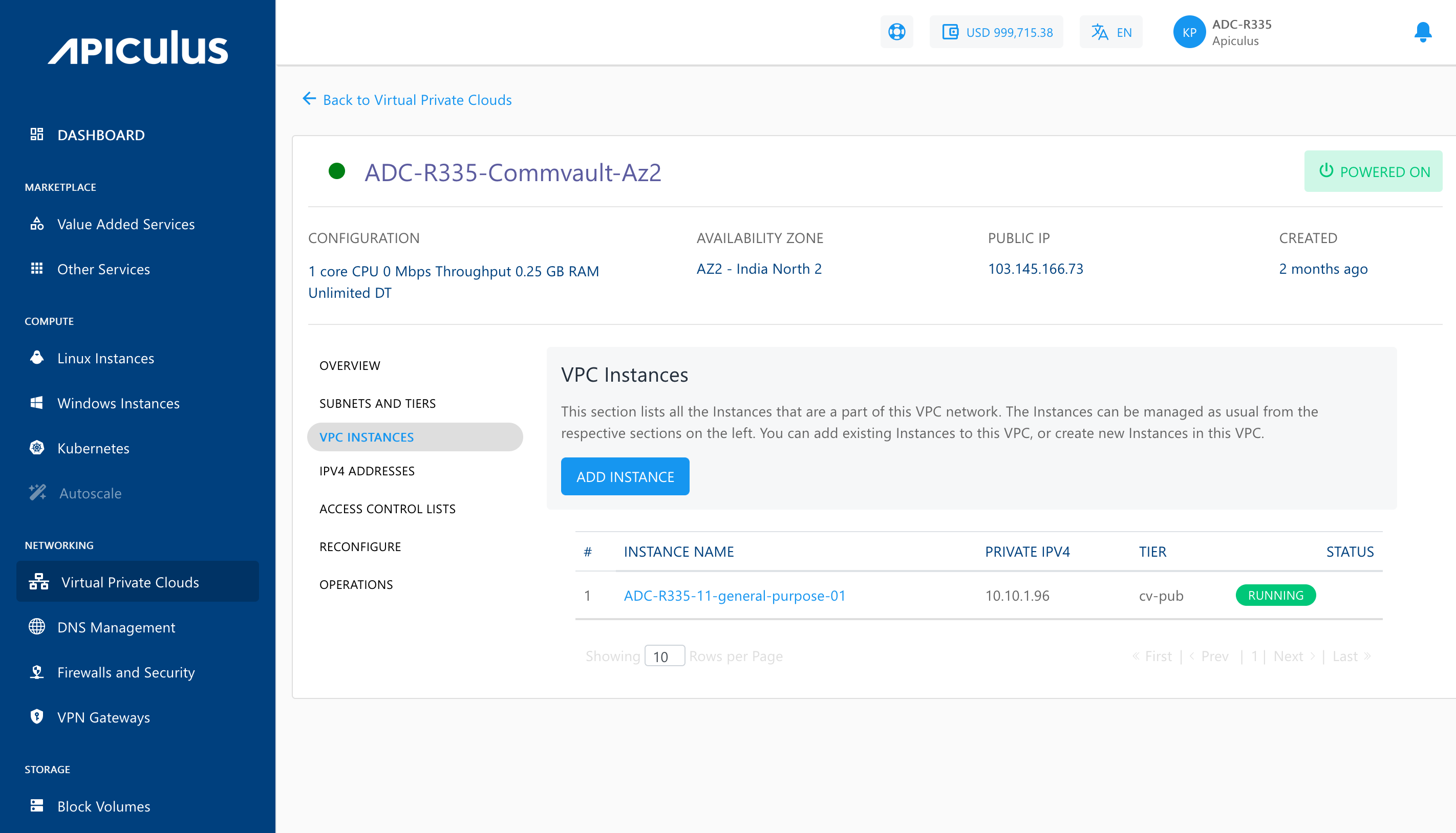
Apiculus Cloud Console offers a quick means to view Instances that are part of a VPC network, and to associate or dissociate Instances with VPCs by navigating to VPC details and selecting VPC Instances.
Adding or Removing Instances to VPC
To add or remove instances to VPC, follow these steps:
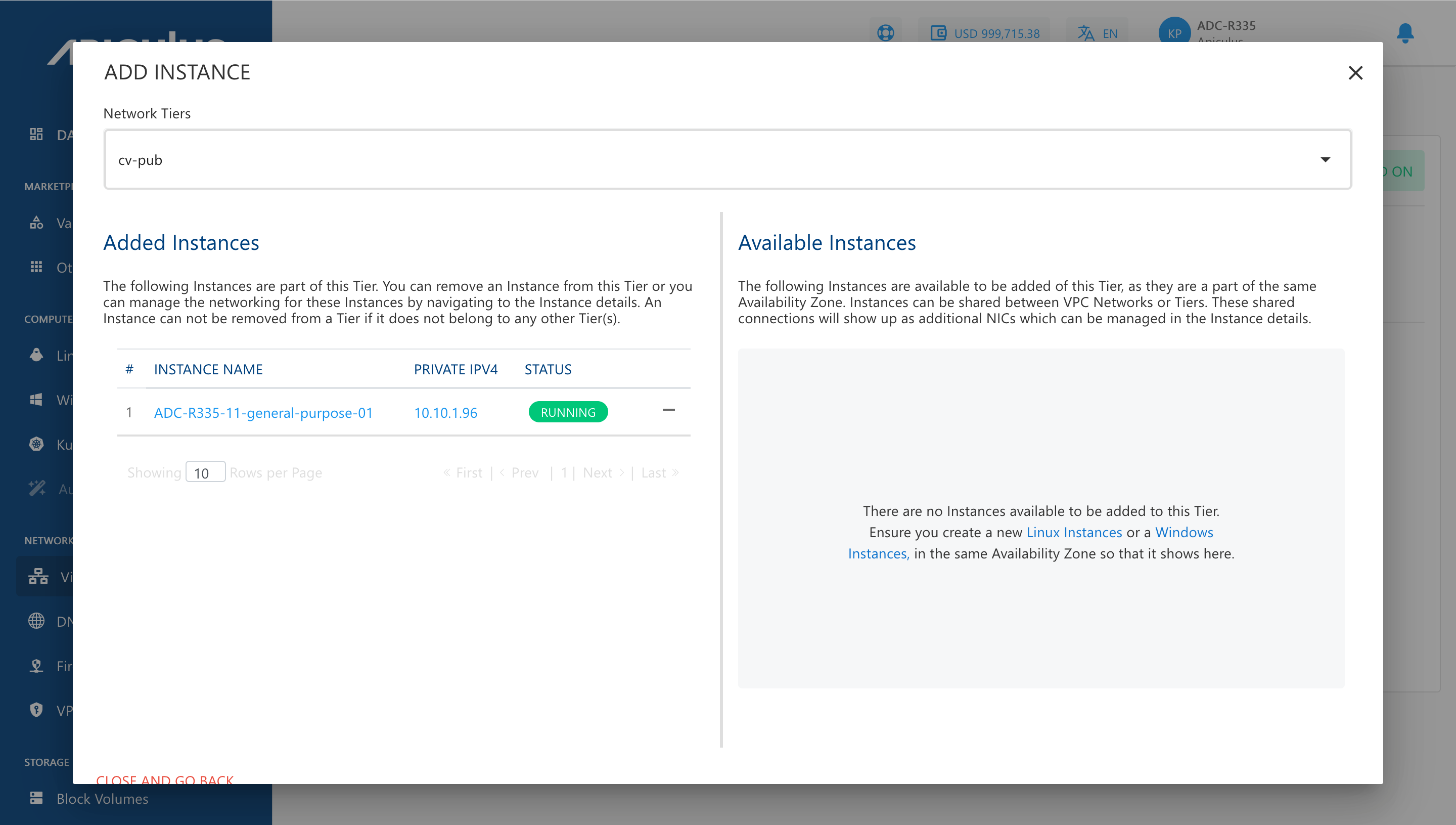
- To view all Instances that are available to add to this VPC, click ADD INSTANCE button.
- Select the Network Tier where you want to add the available instances.
note
An Instance created in any VPC/advanced Availability Zone must be attached to at least one subnet.