Terminating an Account
Termination of an account refers to the permanent closure or deactivation of an account, after which the account can no longer be used.
To terminate an account, follow these steps:
- Navigate to Accounts > Account Management. The following screen appears:
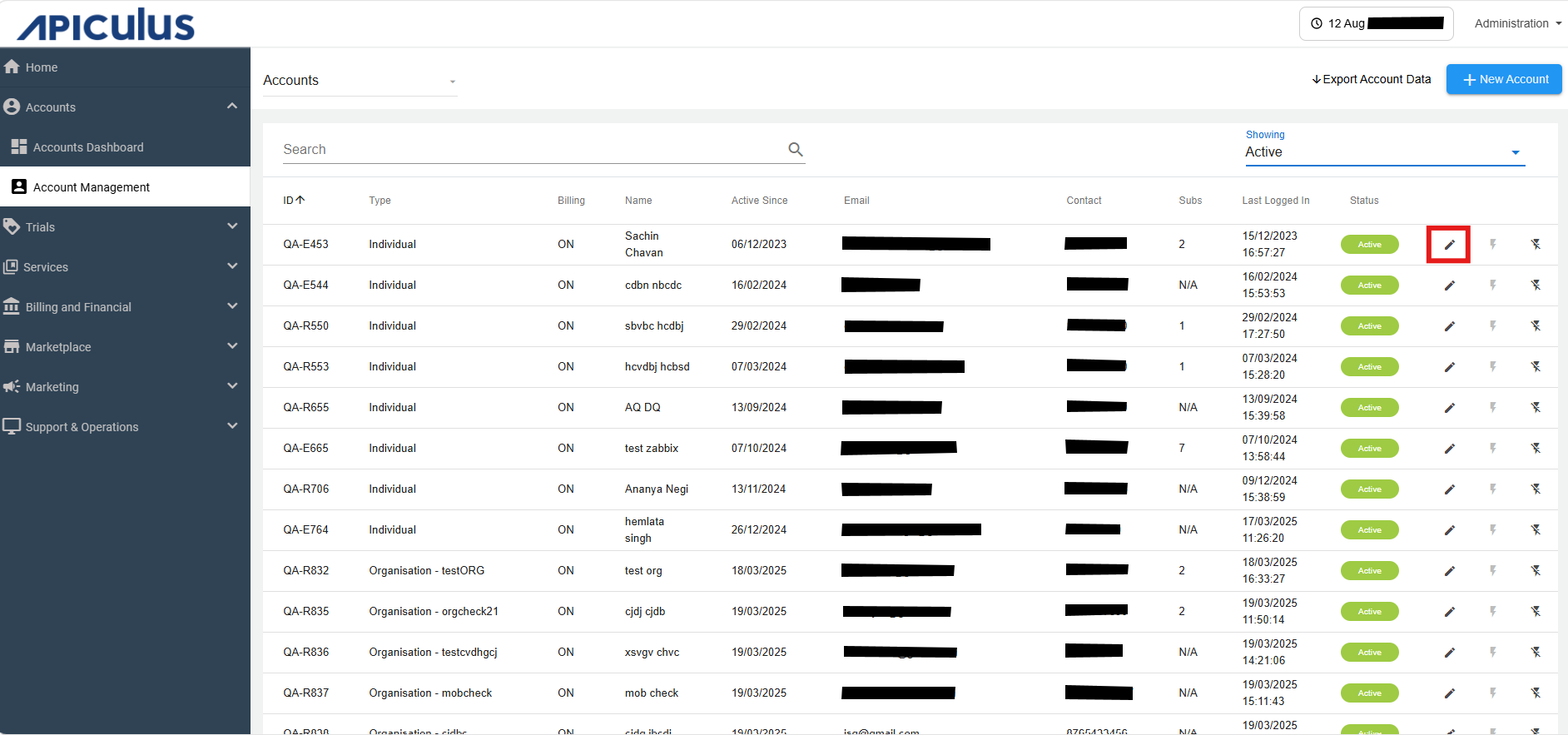
- Click the Edit icon (highlighted in red). The following screen appears:
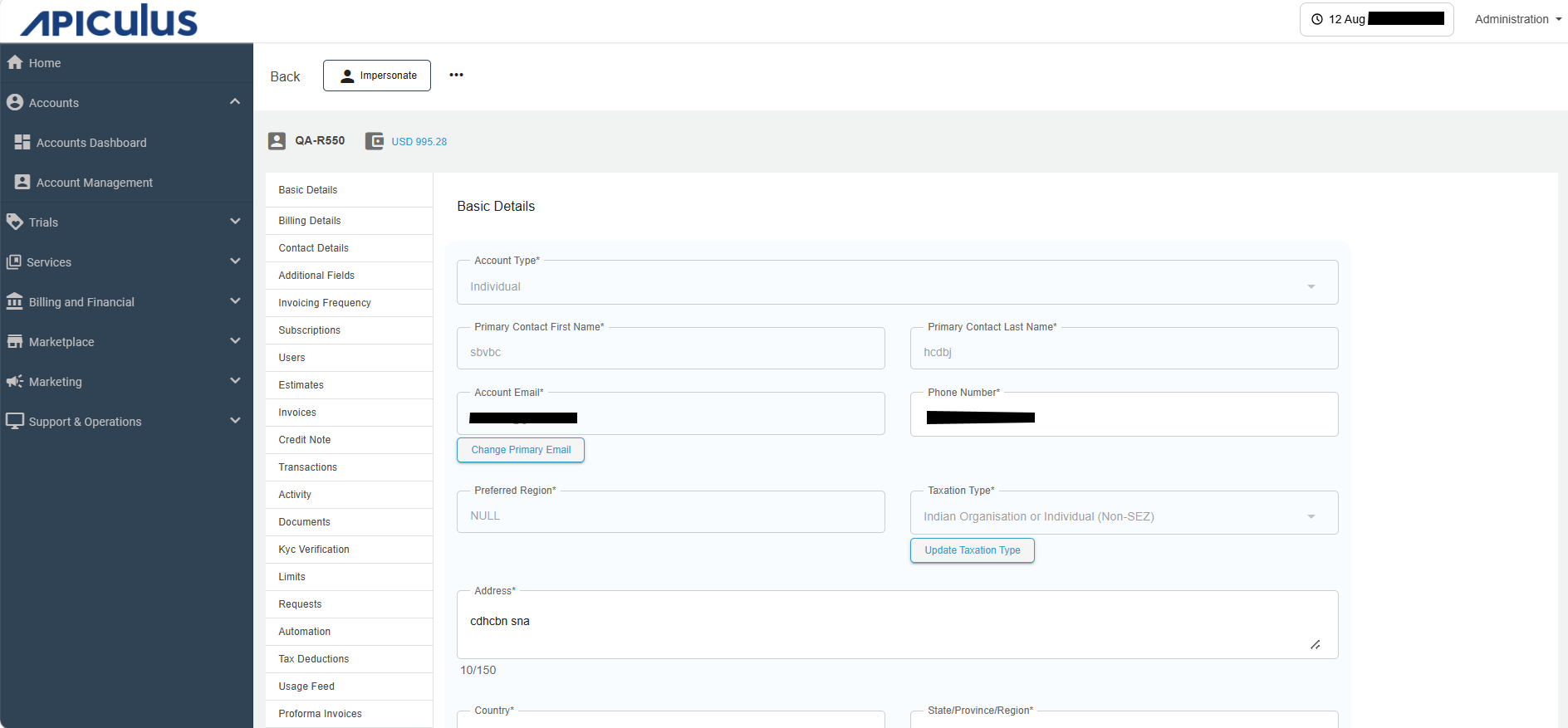
- Click on the three dots icon.
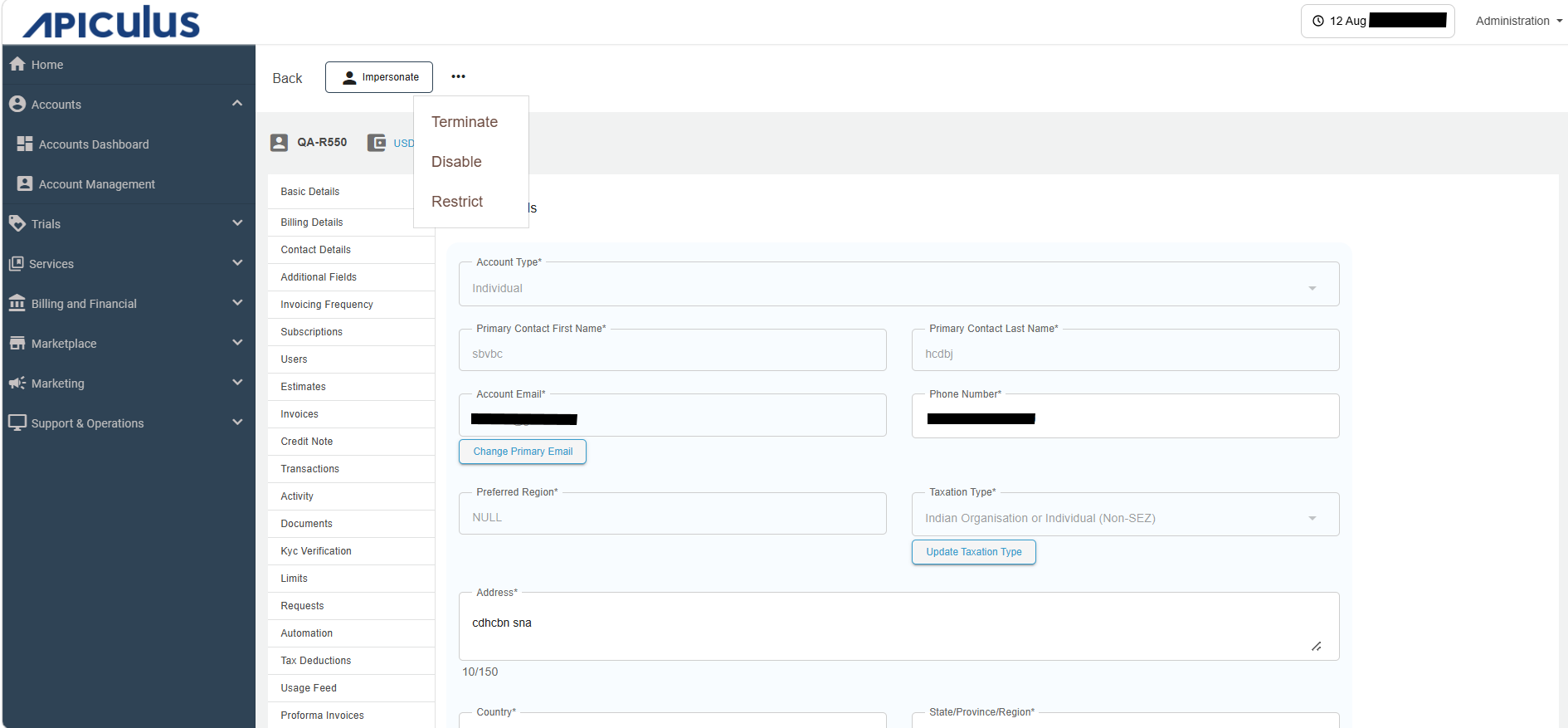
- Select Terminate from the dropdown. The following screen appears:
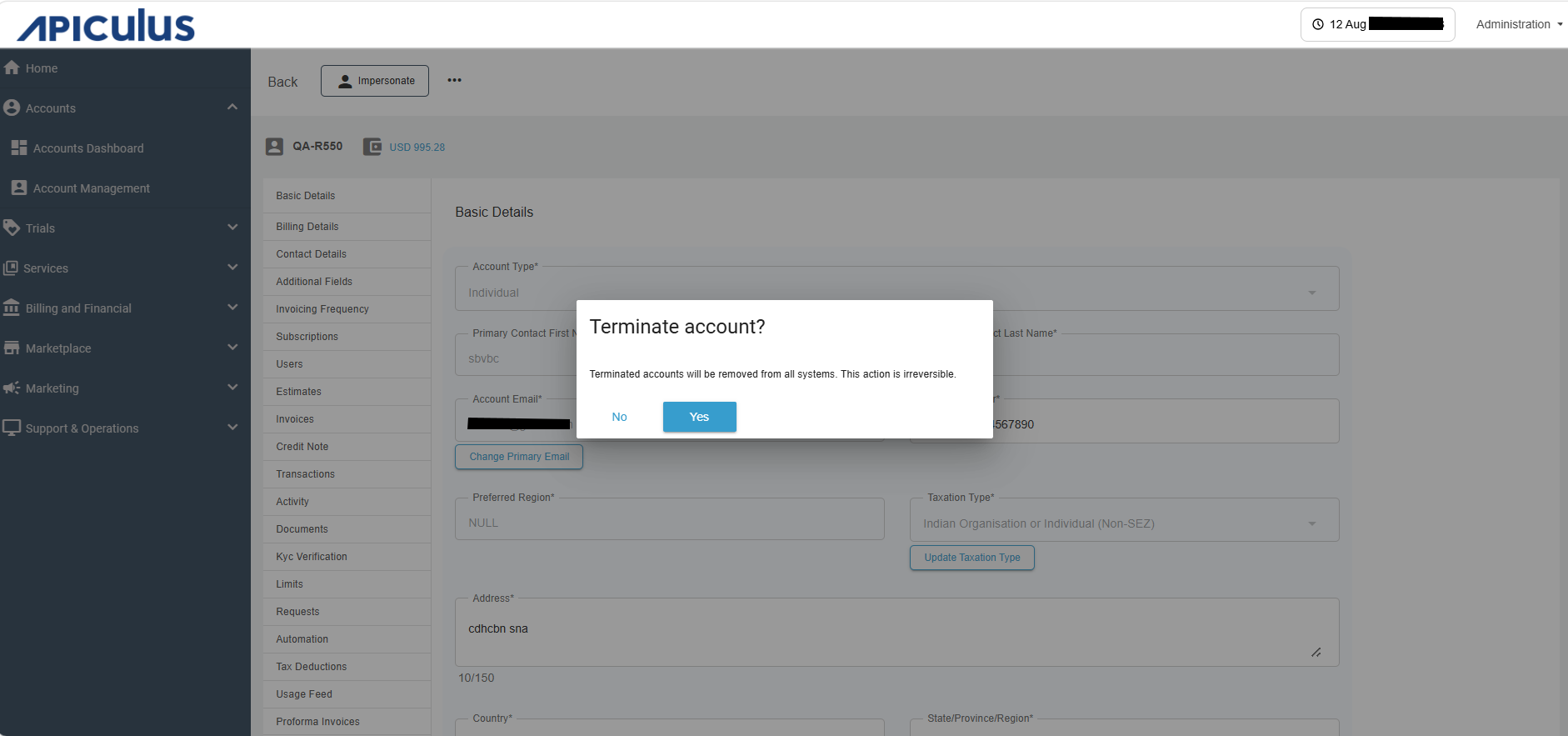
- Click the Yes button to terminate the account.