Adding Tax Deduction
Tax Deducted at Source (TDS) is a statutory tax deducted from a payment by the payer before making the payment to the payee, as per applicable tax regulations. It helps ensure timely tax collection and compliance with government tax laws.
To add a TDS for a particular account, follow these steps:
- Navigate to Accounts > Accounts Management. The following screen appears:
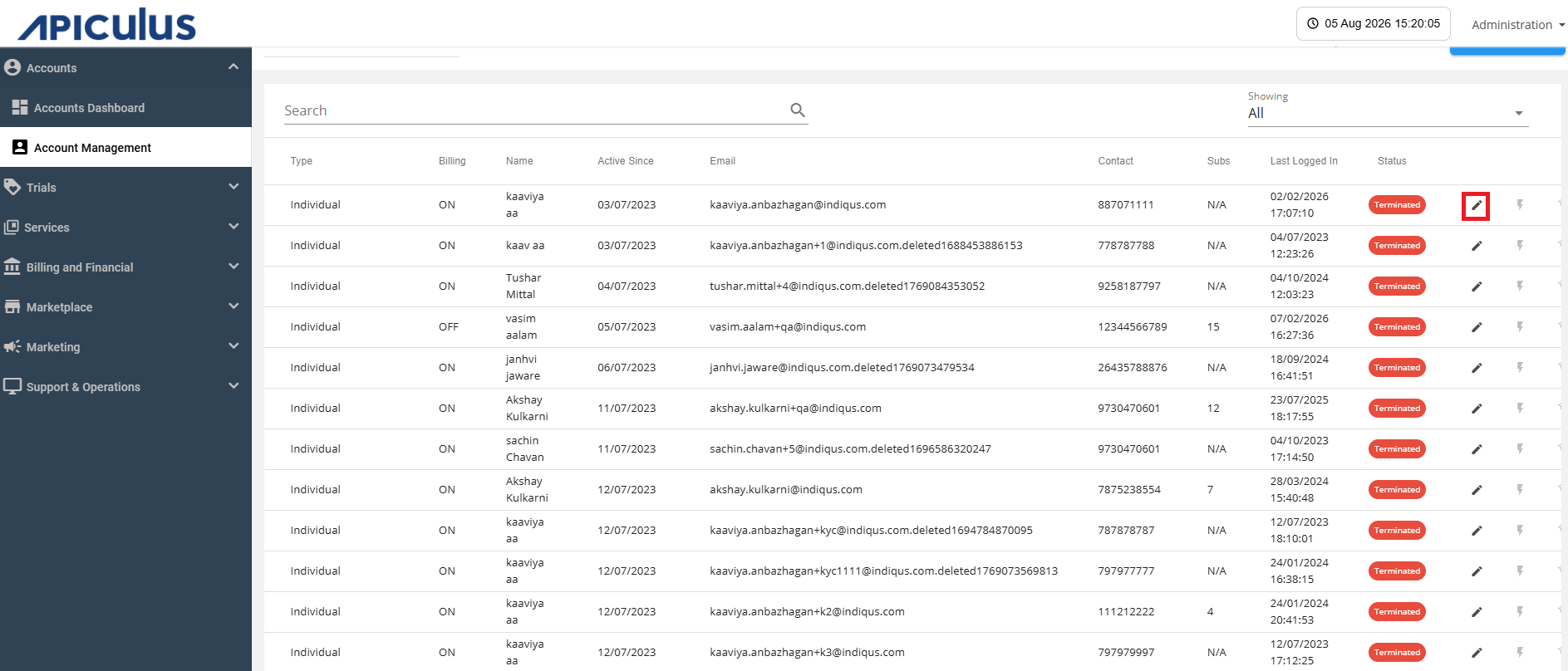
- Click the Edit icon (highlighted in red) and navigate to the Tax Deductions tab. The following screen appears:
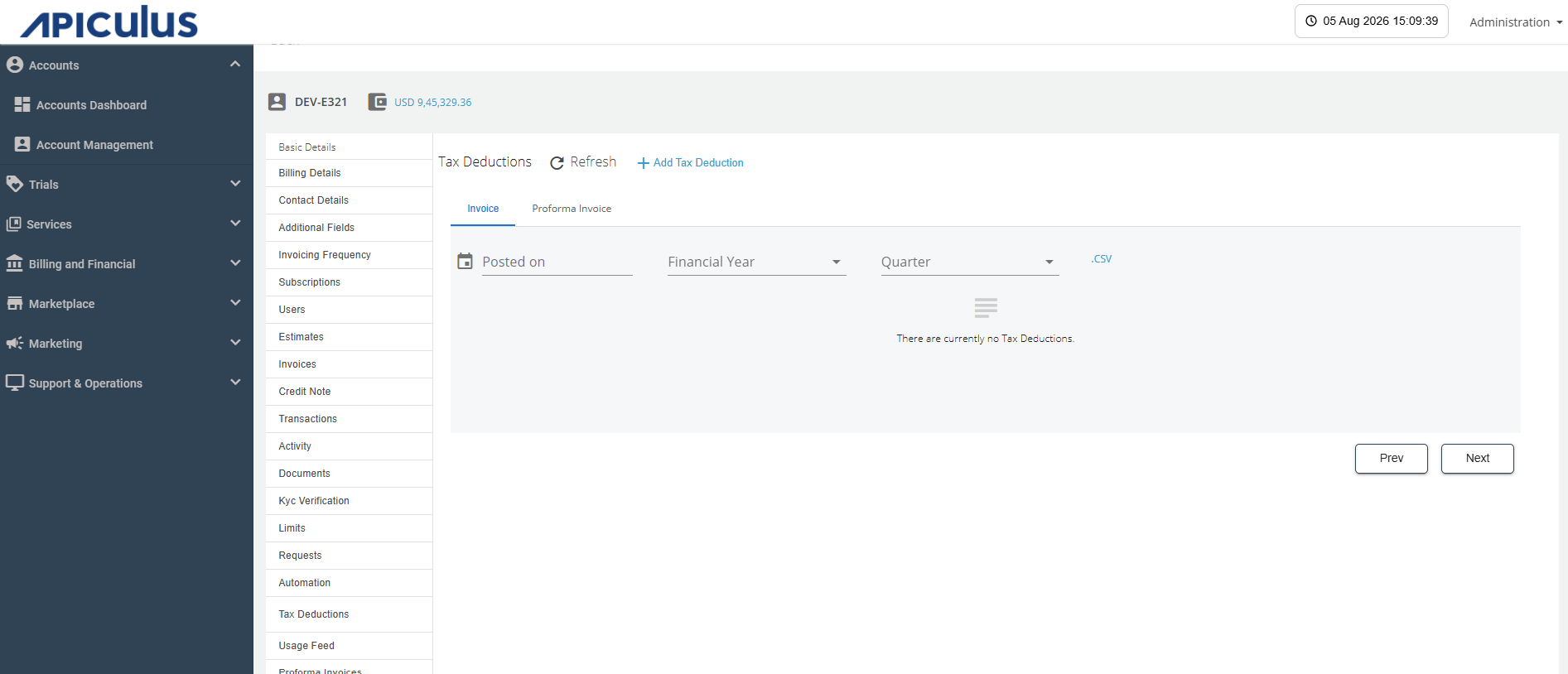
- Click the Add Tax Deduction button. The following screen appears:
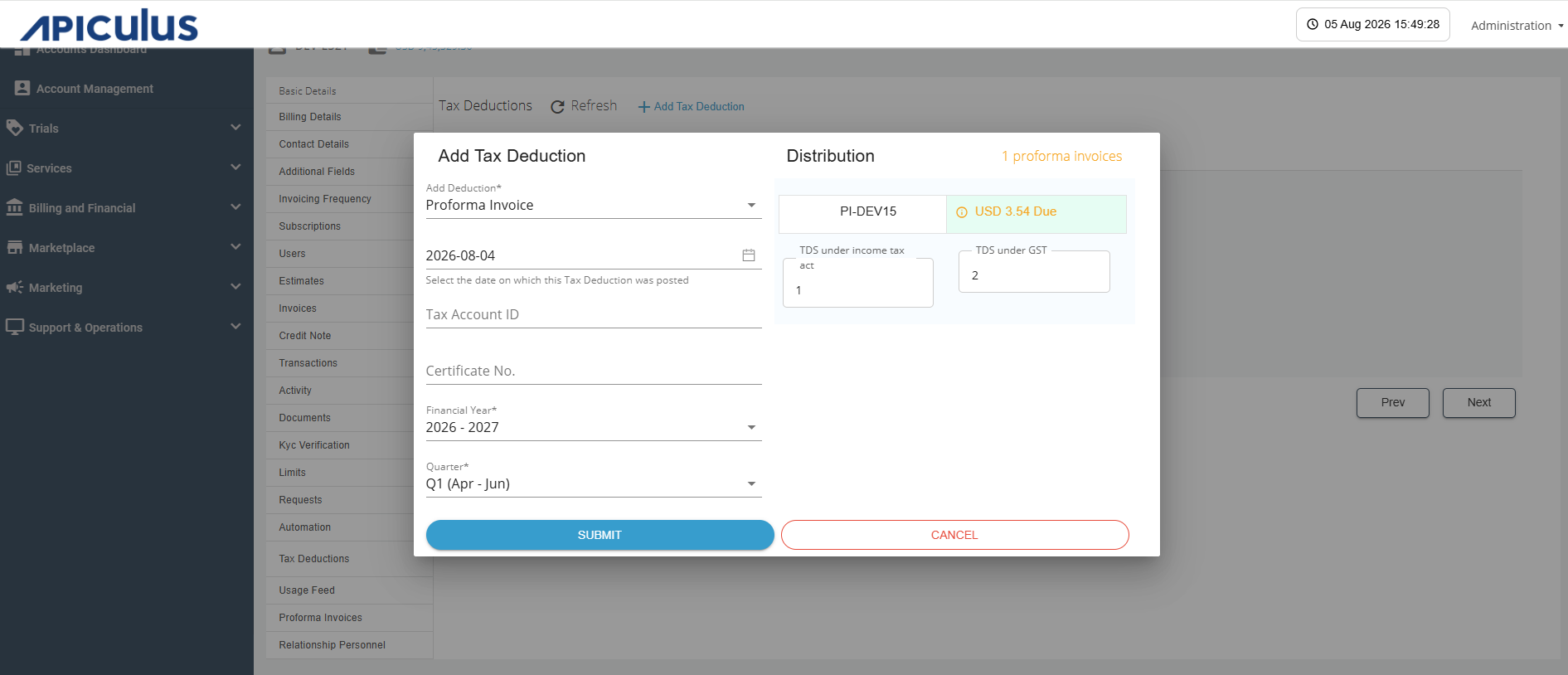
- Provide the following details:
- Proforma Invoice or Invoice
- Posting Date
- Tax Account ID
- Certificate No.
- Financial year
- Quarter
- TDS under income tax act
- TDS under GST
- Click the Submit button.