eKYC
eKYC enables you to complete your verification quickly and easily. It automates the KYC process by using Aadhar number and GSTIN.
To start your eKYC, follow these steps:
- Navigate to Account Centre > KYC Documents. The following screen appears:
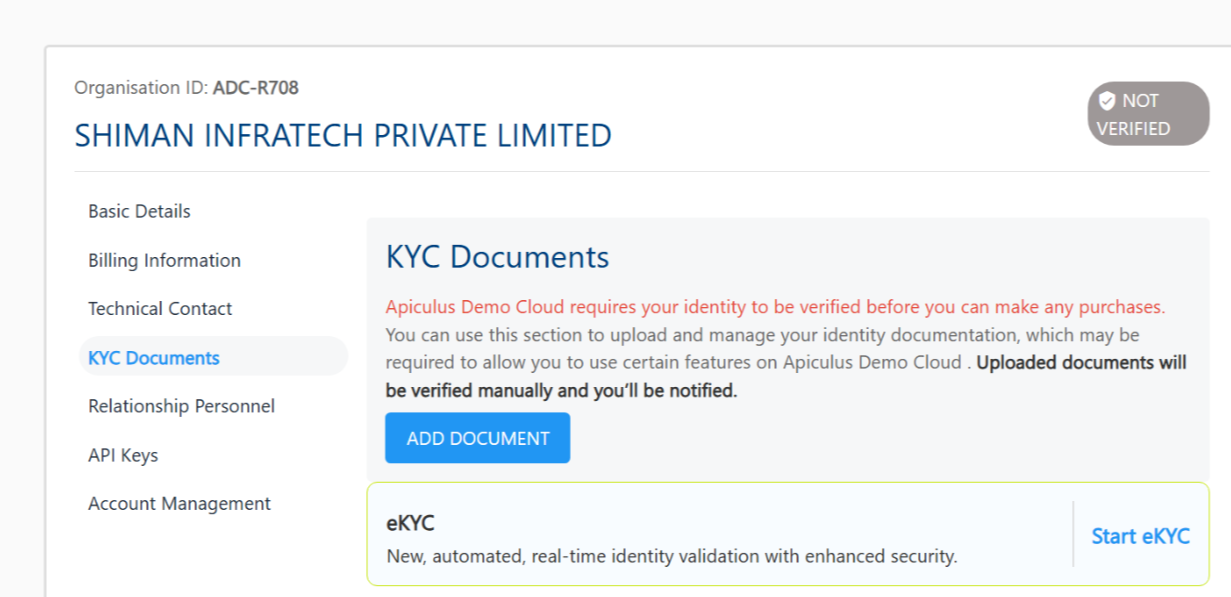
- Click Start eKYC.
- For individual account -
- Enter your Aadhar number. Click Send OTP.
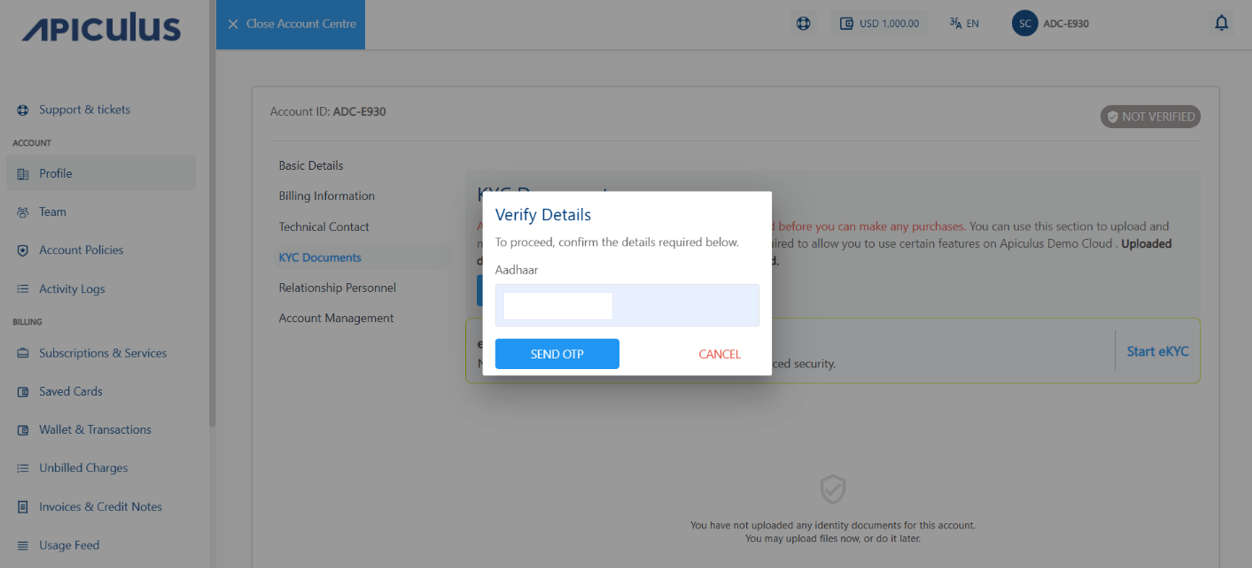
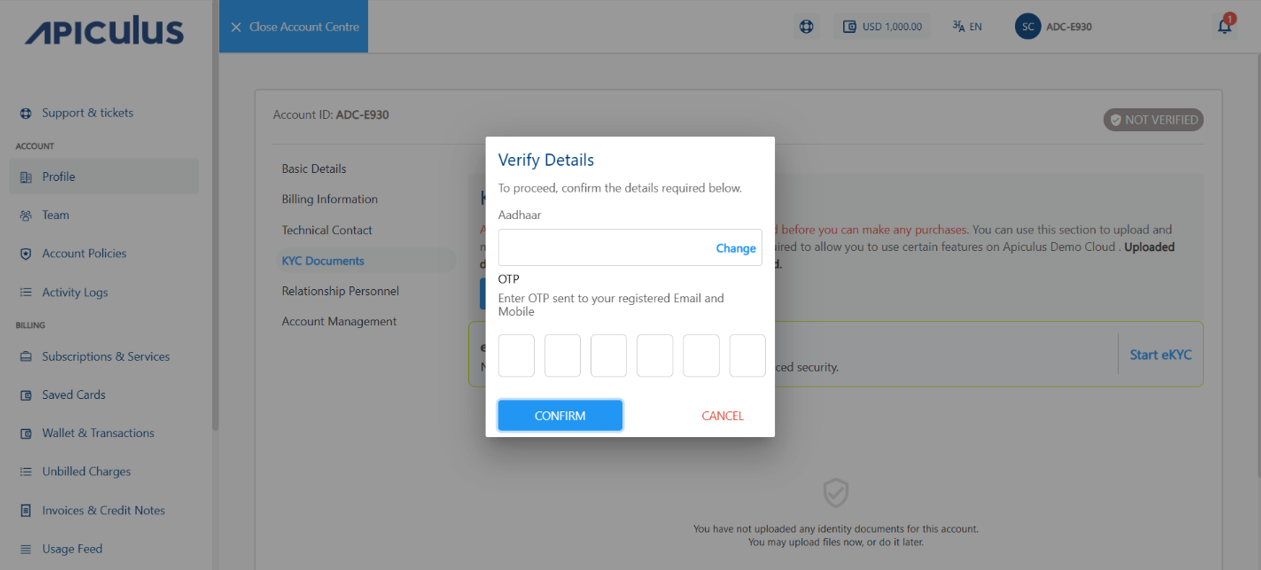
- Enter the OTP your received on your registered mobile number and email ID.
- Click Confirm.
 The following pop-up appears:
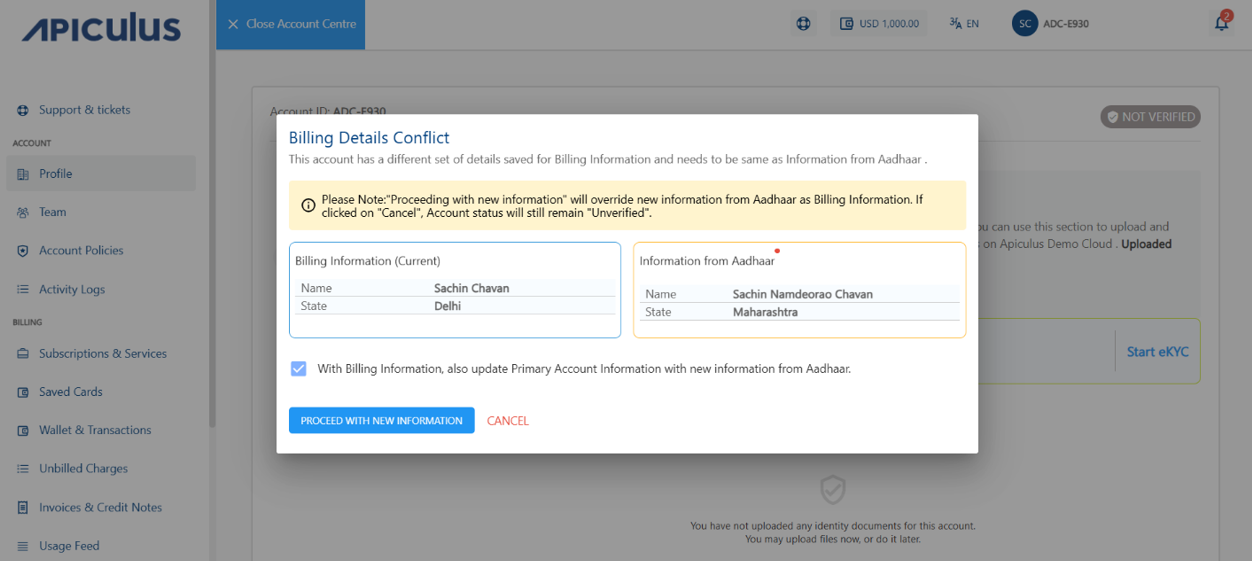
- If you want to update the account information, select the With Billing Information, also Update Primary Account Information with new Information from Aadhar option.
- Click proceed with new information.
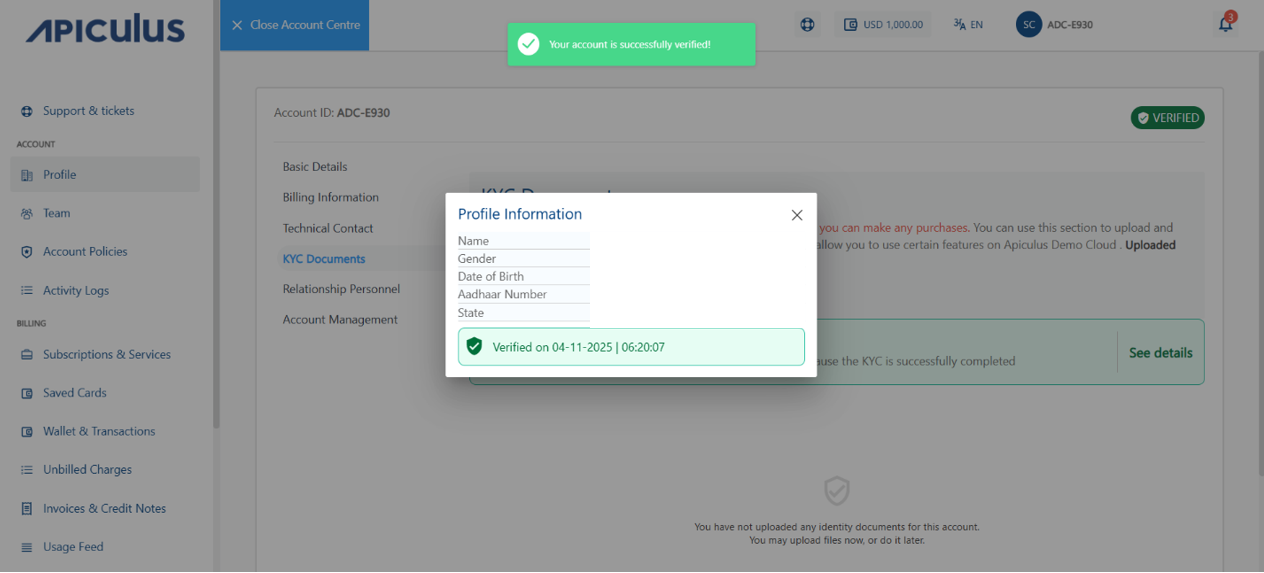
- Enter your Aadhar number. Click Send OTP.
- For organisation account-
- Enter your GSTIN number. Click Send OTP.
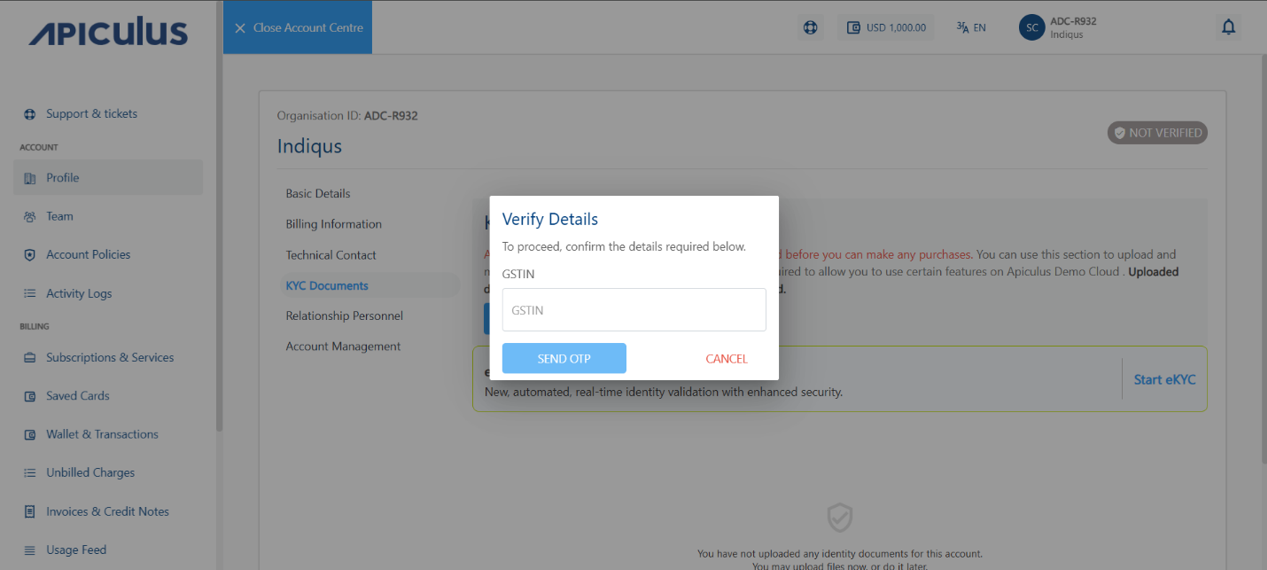
- Enter the OTP your received on your registered mobile number and email ID.
- Click Confirm.
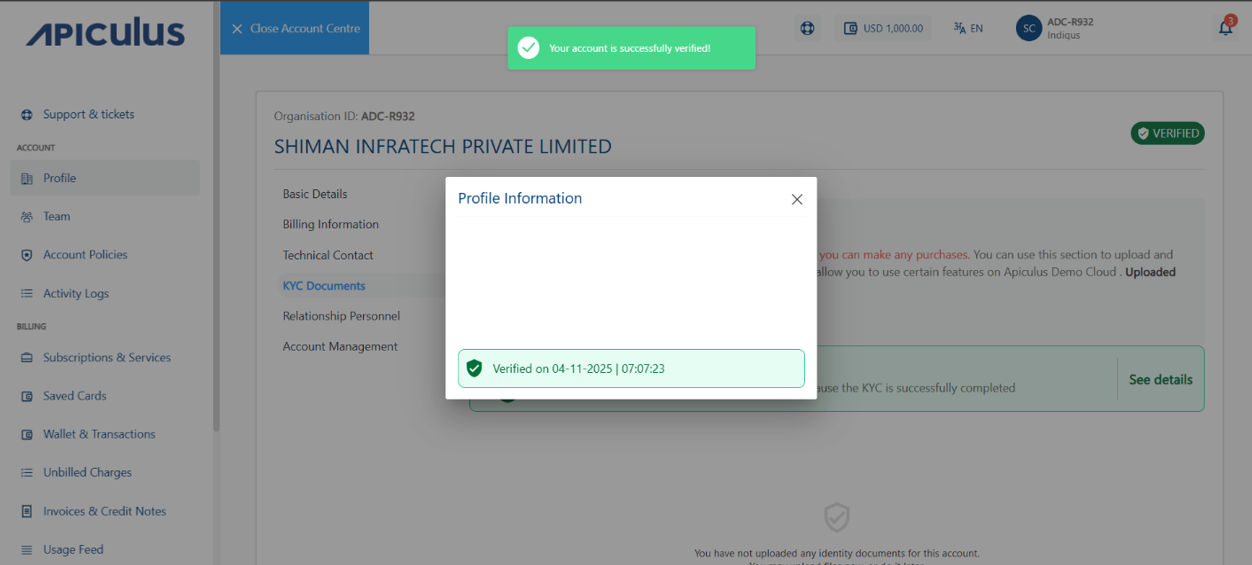
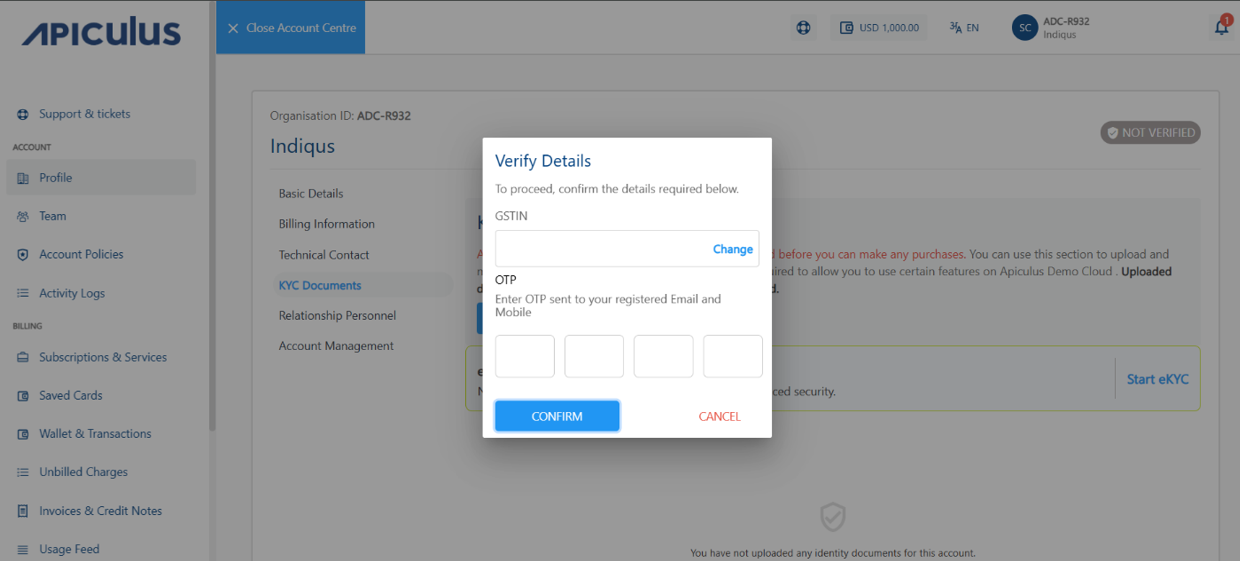 The following pop-up appears:
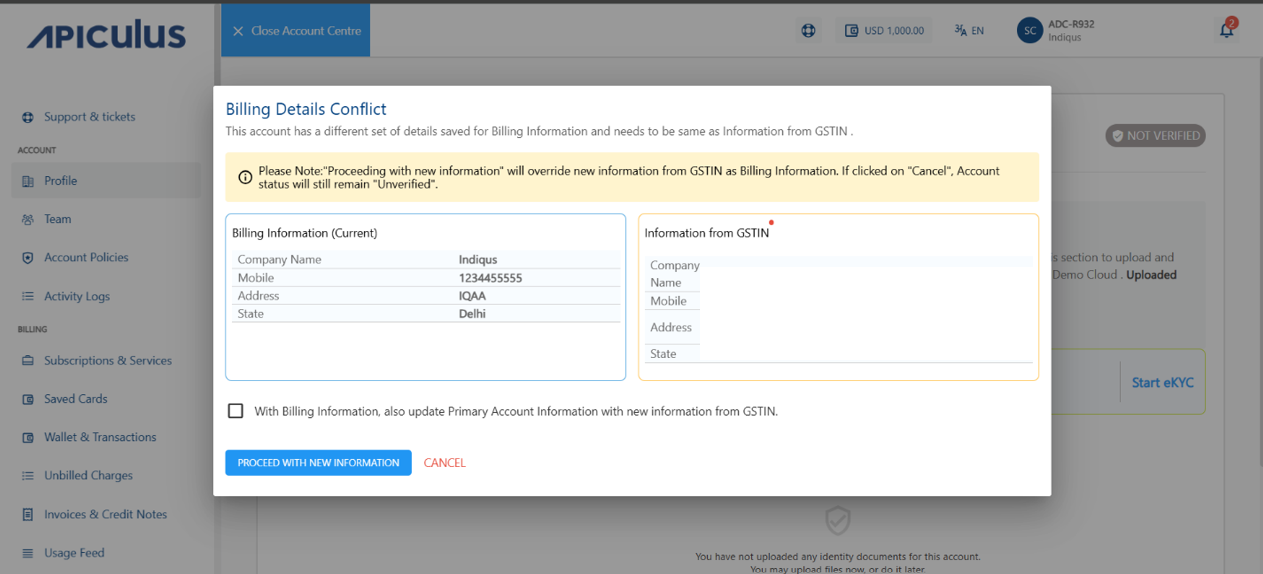
- If you want to update the account information, select the With Billing Information, also Update Primary Account Information with new Information from GSTIN option.
- Click proceed with new information.
- Enter your GSTIN number. Click Send OTP.
- For individual account -