View Activity Logs
The Activity Logs section provides subscribers with a detailed record of actions performed within their cloud environment. To improve usability, enhanced filtering options have been implemented.
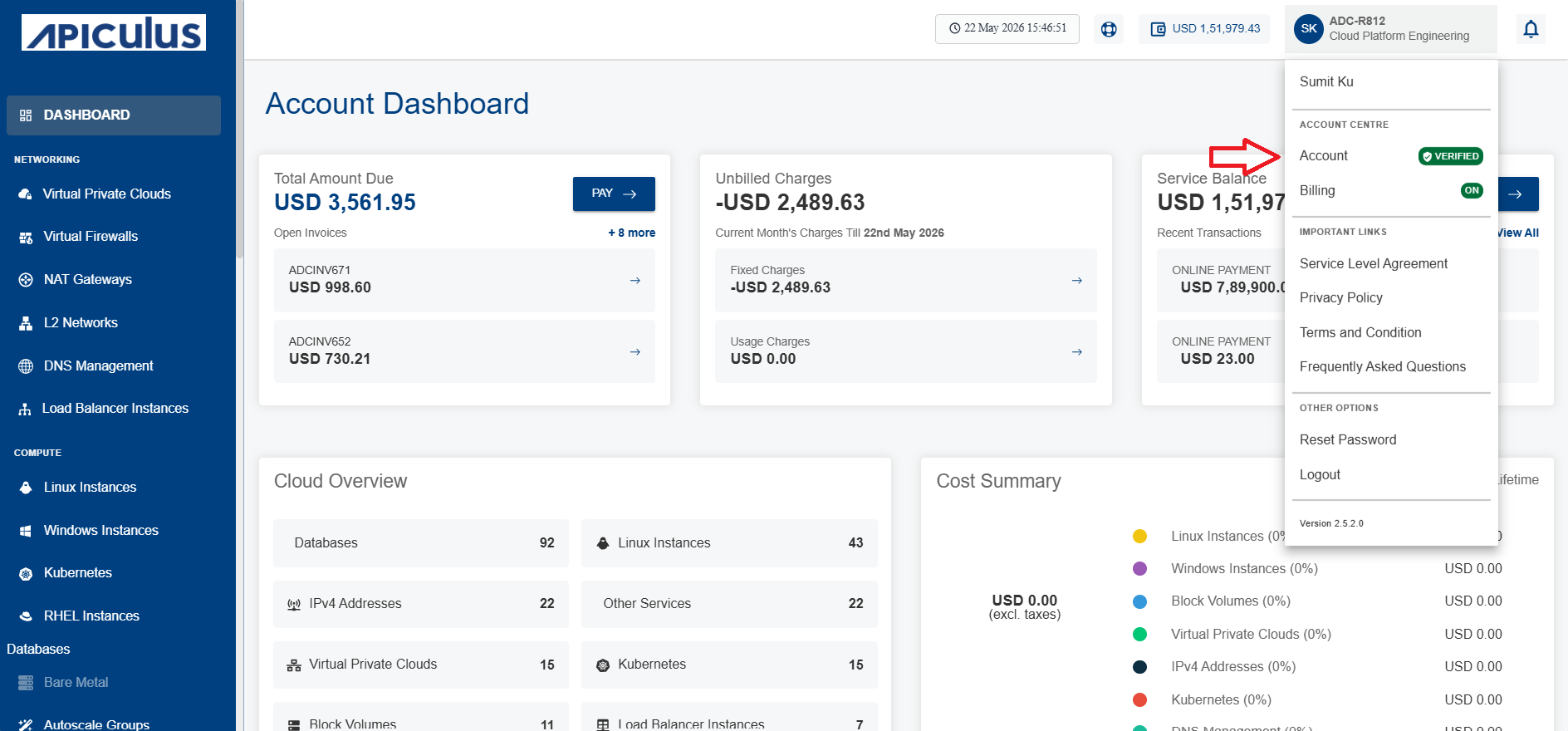
- Click the Account option from the drop-down as shown below:
- The following screen appears:
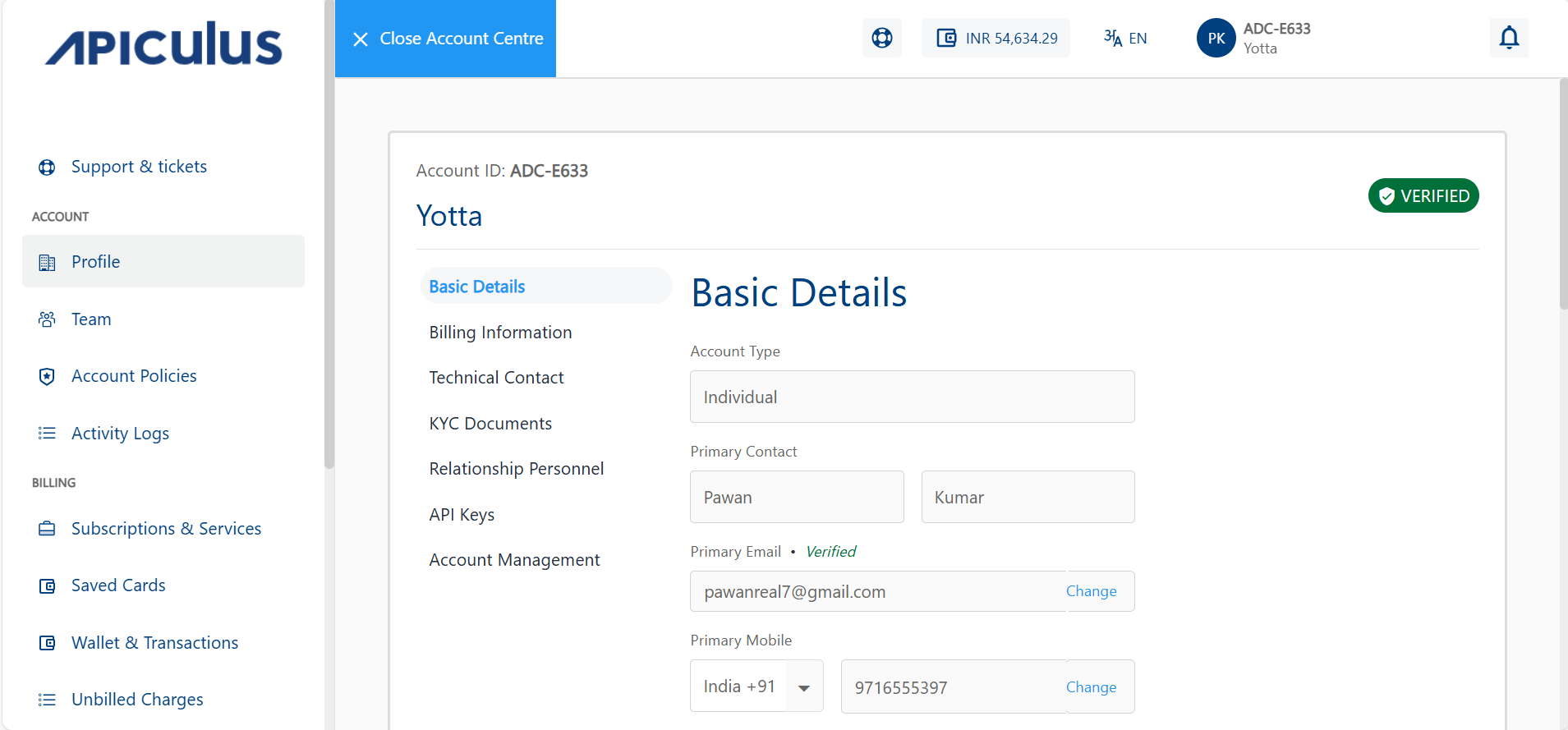
- Click the Activity Logs tab in the left-hand panel under the Account section. The following screen appears:
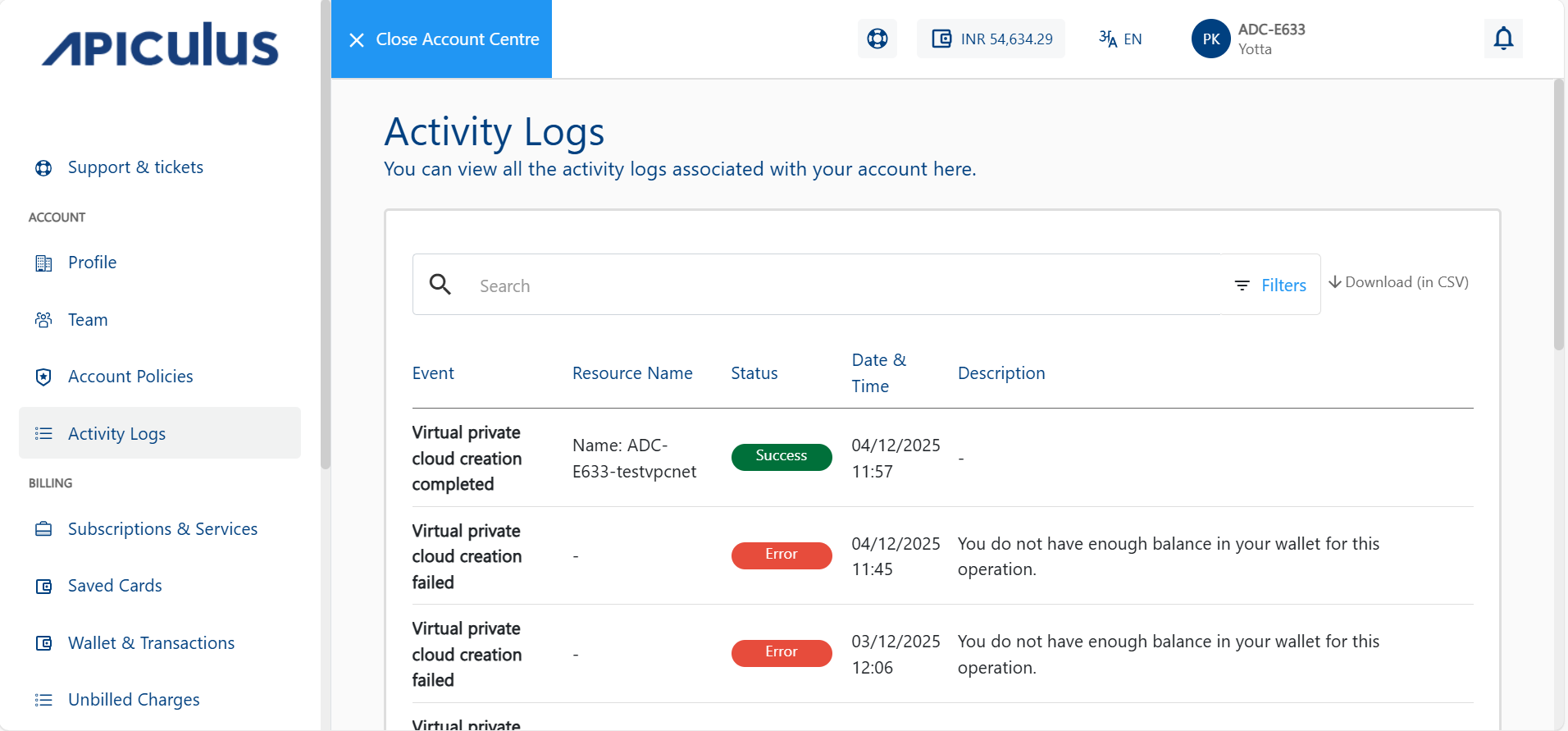
- Use the search bar at the top of the logs table to quickly search logs or events by keywords, resource names, or actions.
- Click the Filters option to view logs from the Last 24 Hours, Last 7 Days, or a Custom Date Range.
- Click the Download (in CSV) option to export the activity logs in CSV format for offline review.