Operations
To view all available Instance operations, navigate to the Operating Linux Instances, select a Linux Instance and access the Operations tab.
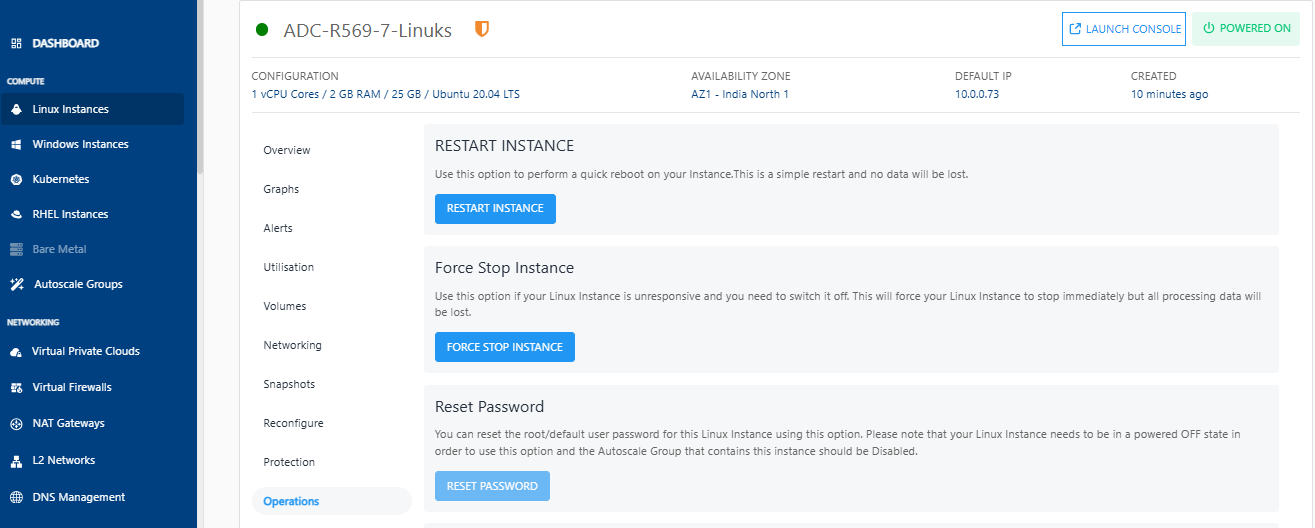
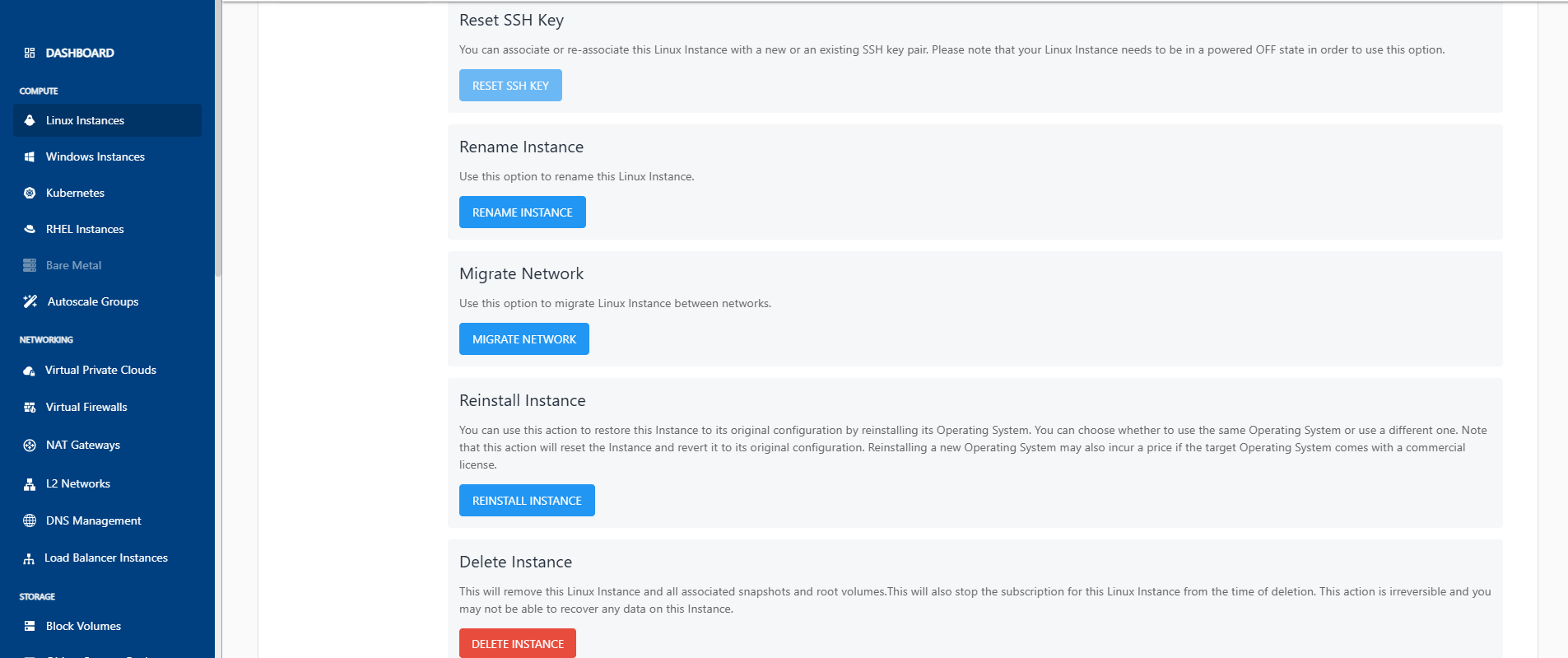 Apiculus Cloud Console provides the options to perform the following operations on Linux Instances:
- Restart Instance - Perform a quick reboot on your Instance. This is a simple restart, and no data will be lost.
- Force Stop Instance - Force stop a running or a hung Linux Instance.
- Reset Password - Reset the Linux Instances root user password. This requires the Linux Instance to be powered off.
- Reset SSH Key - Reset the Linux Instances SSH key association. This requires the Linux Instance to be powered off.
- Rename Instance - Rename the Linux Instance.
- Migrate Instance - Migrate Linux Instance between VPC networks within the same Availability Zone.
- Reinstall Instance - Restore this Instance to its original configuration by reinstalling its Operating System or choosing a new one. Choosing a new Operating System image may have an additional billing component if it is a priced Operating System.
- Delete Instance - Delete the Linux Instance.
warning
Deleting a Linux Instance will remove it entirely along with its subscription and is a non-reversible action.