Viewing VPC Details
This section provides an overview of important information about your VPC, helping you understand and manage it easily from a single place.
To view the details associated with a VPC, follow these steps:
- Navigate to Networking > Virtual Private Clouds. The following screen appears:
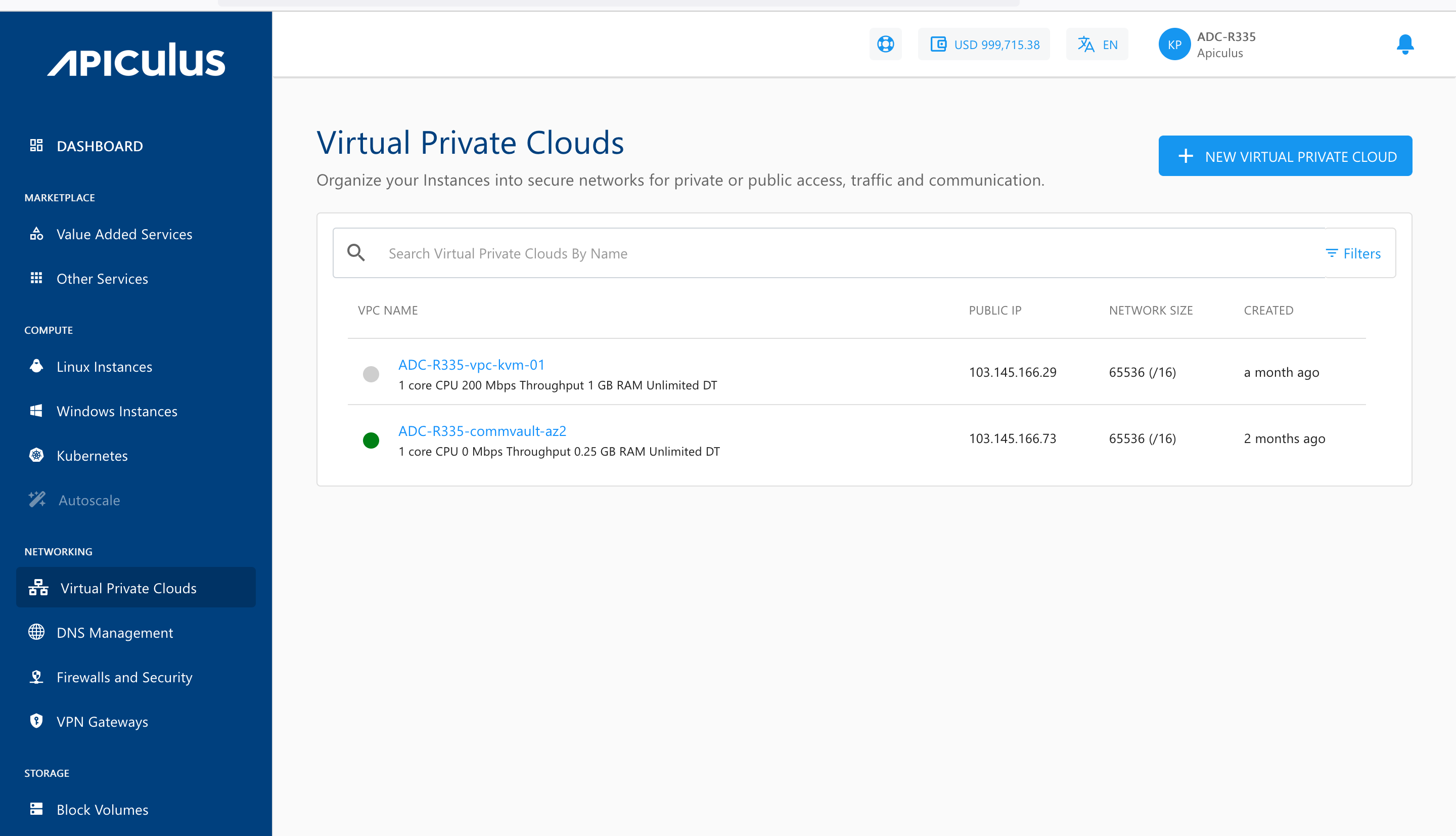
- Click on your created VPC name from the list. The Overview tab opens automatically, and the following screen appears with the details:
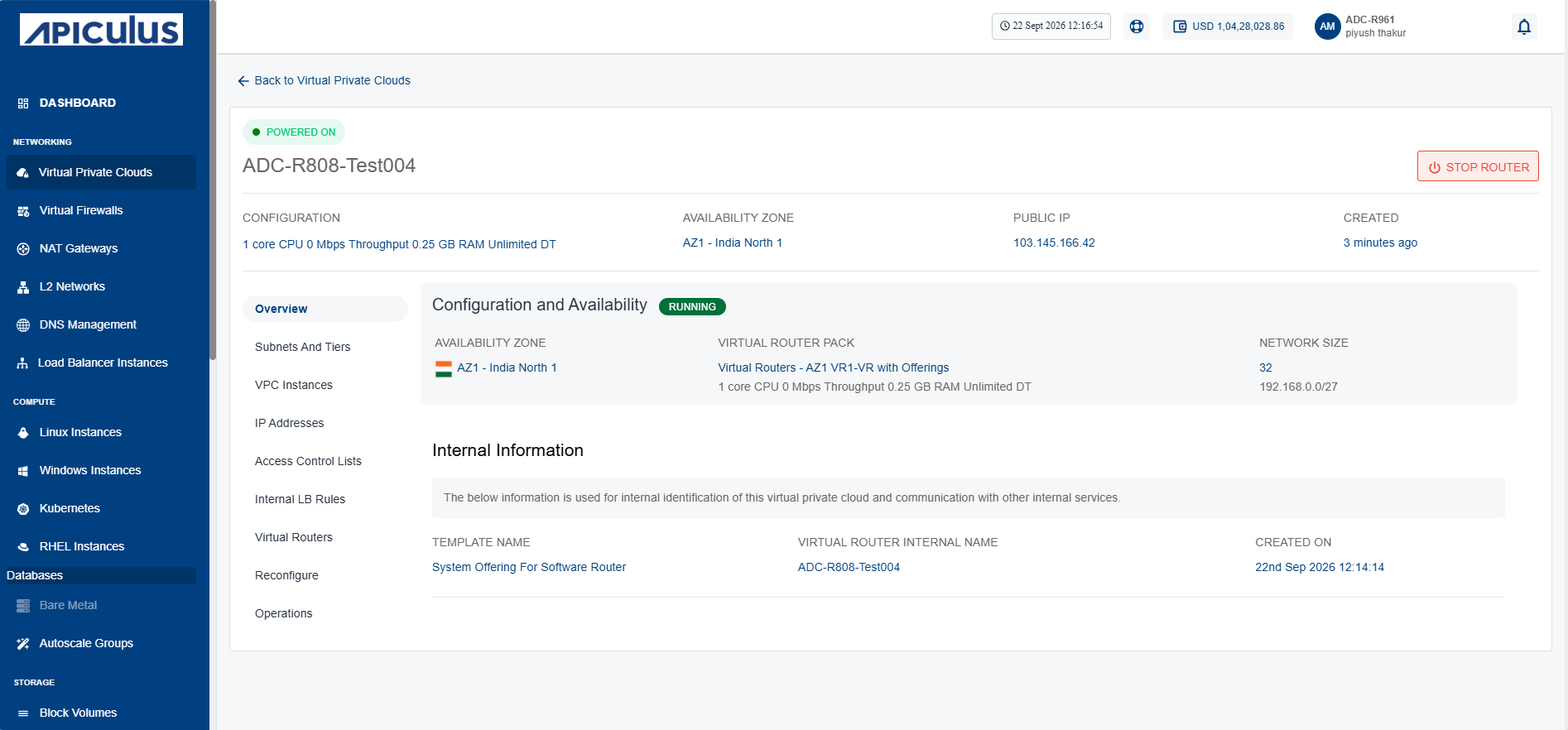
- Configuration and Availability: This displays the following VPC configuration details to help verify its current configuration and operational state:
- The instance's status Running and Stopped.
- Availability Zone
- Virtual Router Pack
- Network Size
- Internal Information: This displays the following information that is used for internal identification of the VPC router and communication with other internal services:
- Template Name
- Virtual Router Internal Name
- Created On