Managing Tax Deductions
This section covers the Tax Deduction (TDS) section that allows you to configure tax deductions applicable to a Proforma Invoice or Invoice. TDS is a statutory deduction withheld from the payment amount in accordance with applicable tax regulations.
Adding a Tax Deduction for Invoice or Proforma Invoice
To add a tax deduction, follow these steps:
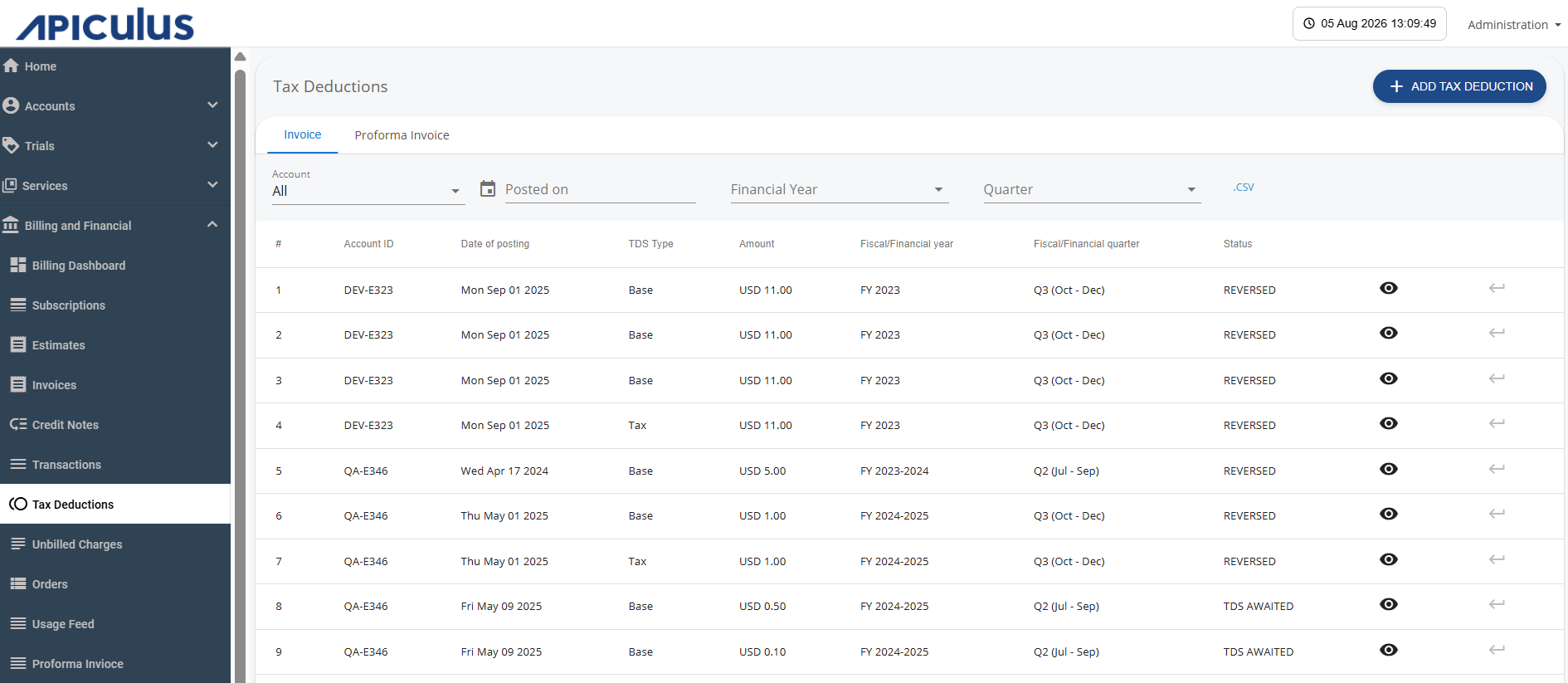
- Navigate to Billing and Financial > Tax Deduction. The following screen appears:
- Click the Add Tax Deduction button. The following screen appears:
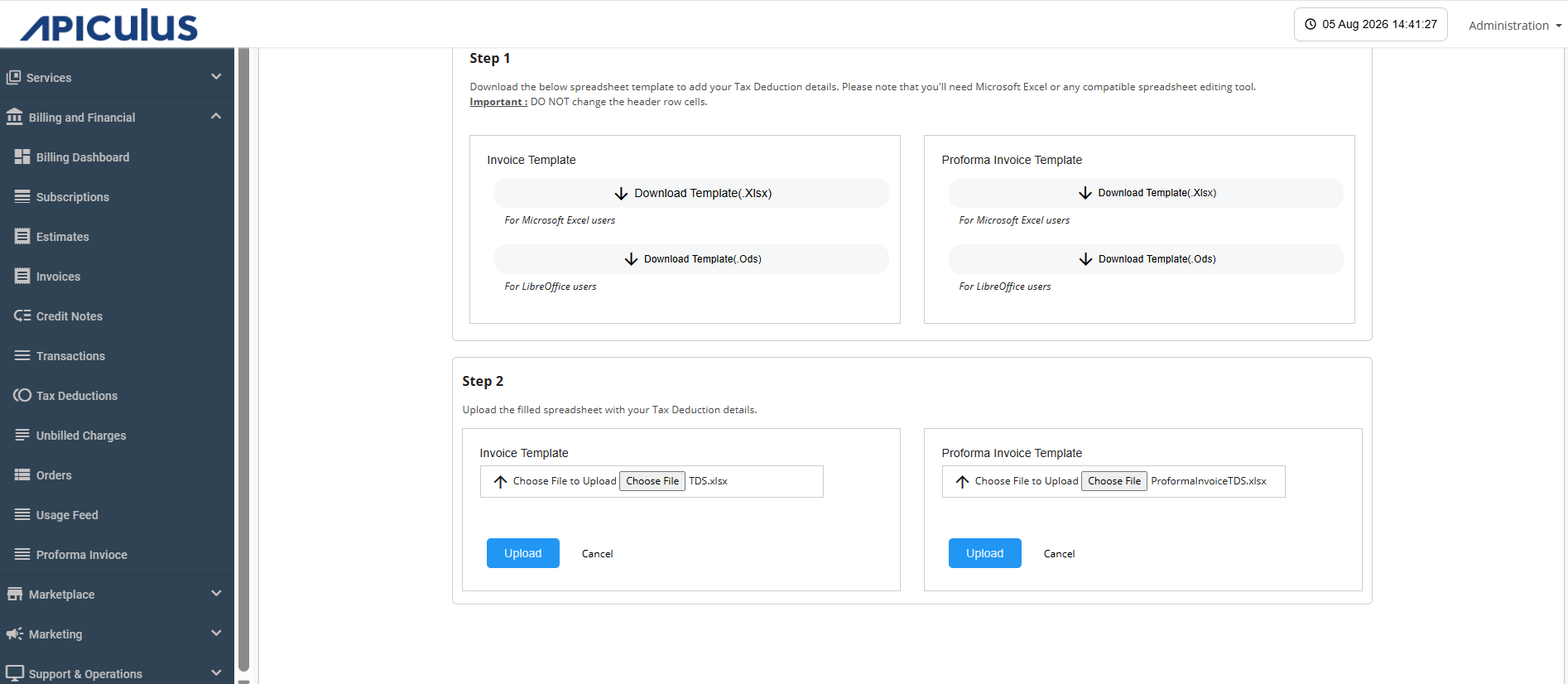
- You can download the Invoice or Proforma Invoice template (.xlsx or .ods format). Fill in the tax deduction details as per the template.
- Click the Upload icon to upload the edited file.
- Click the Upload button.
Viewing Tax Deduction
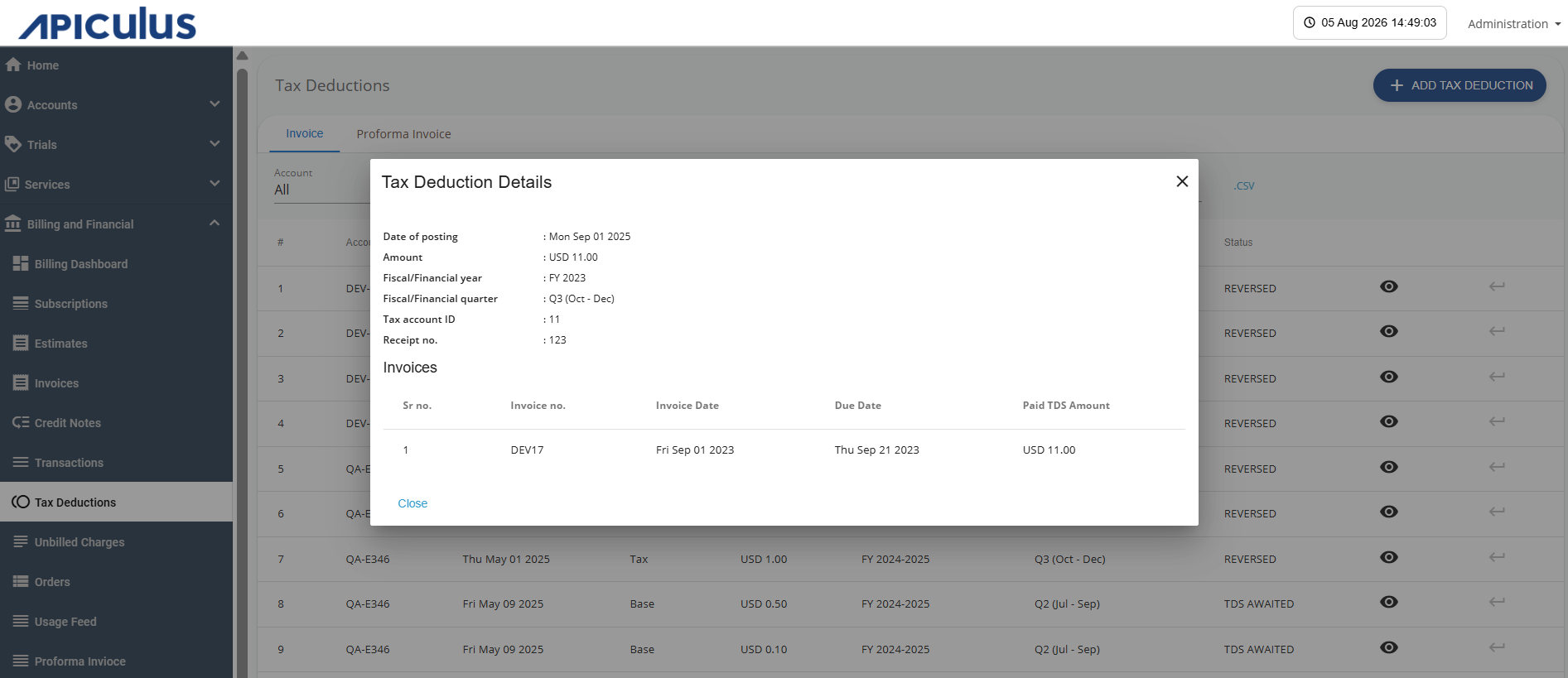
You can view tax deductions recorded quarterly against historical invoices as per fiscal period configurations.
Click the eye icon; the following screen appears with tax details: