Working with Volume Snapshots
Apiculus Block Volumes service provides extensive functionality for managing volume snapshots. Snapshots are point-in-time 'images' of a volume’s contents and can be used as a restoration point for the parent volume. The following sections outline all available snapshot functions and capabilities in the Apiculus Cloud Console.
Creating Instant Snapshots
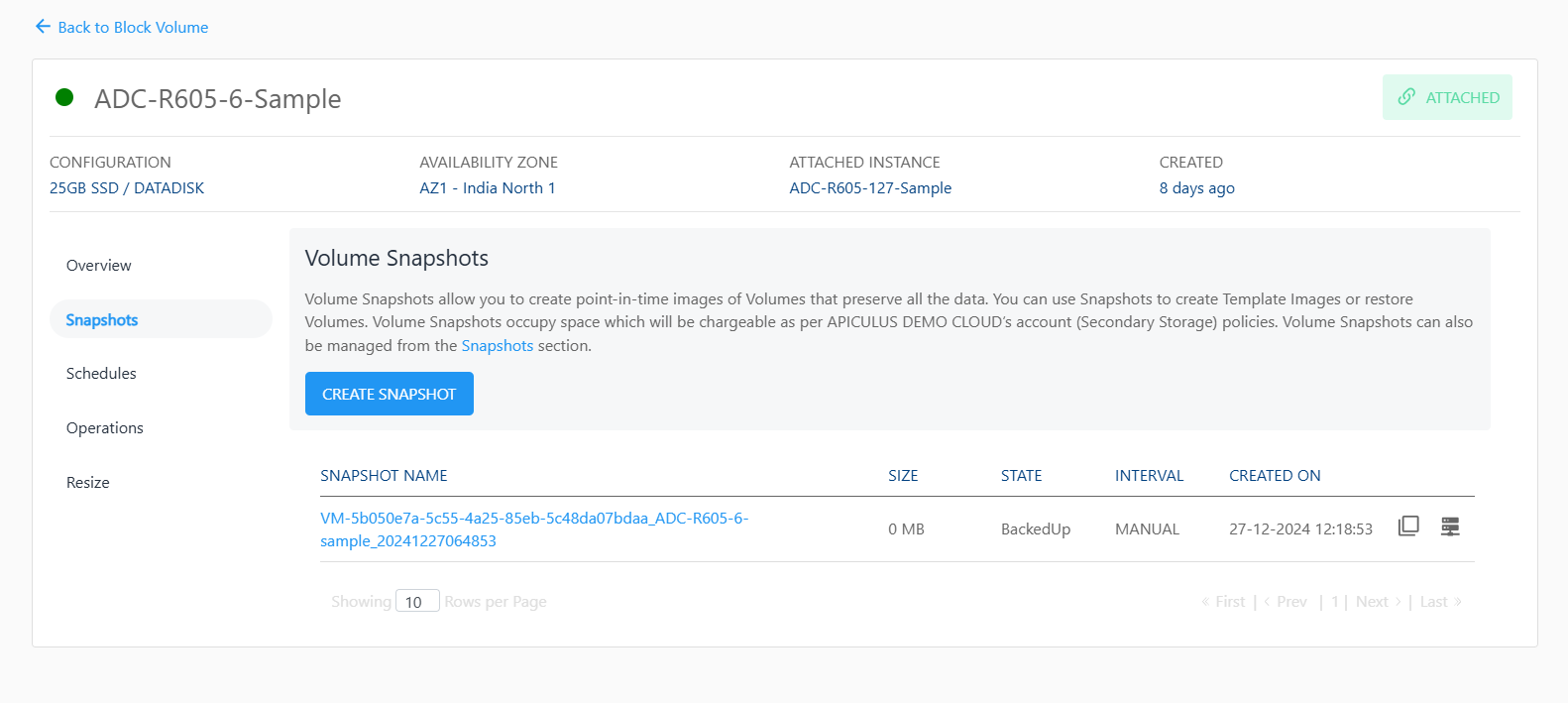
Volume snapshots can be created manually with the current timestamp by clicking the CREATE SNAPSHOT button under the Snapshots tab/section of any disk. This will generate a snapshot that can be used to create an Image (template) or restore an existing volume.
Creating a Volume from a Snapshot
Volume Snapshots created manually or using a schedule lists under the Snapshots section of disk details. To create a new data disk using a snapshot, the option to create volume can be used, which will initiate a purchase flow similar to creating a data disk.
This operation may have associated billing impacts.
Creating an Image from a Snapshot
Volume Snapshots can be used to create OS Images which can be used at the time of Instance creation. This can be done by using the option to create image which makes the template available and listed under the My Images section.
Images occupy account-level storage space which may be billed on usage by the service provider.