Accessing the Alteon LBI Control Panel
The Alteon Load Balancer Instance (LBI) control panel is a web-based management interface that enables you to configure, monitor, and manage your Alteon LBI. Accessing the control panel allows you to perform advanced load balancing, traffic management, application delivery, and security configurations to ensure high availability, performance, and reliability for your applications.
To activate the Alteon LBI control panel and accessing it after activation, follow these steps:
- Navigate to Networking > Load Balancer Instances. The following screen appears:
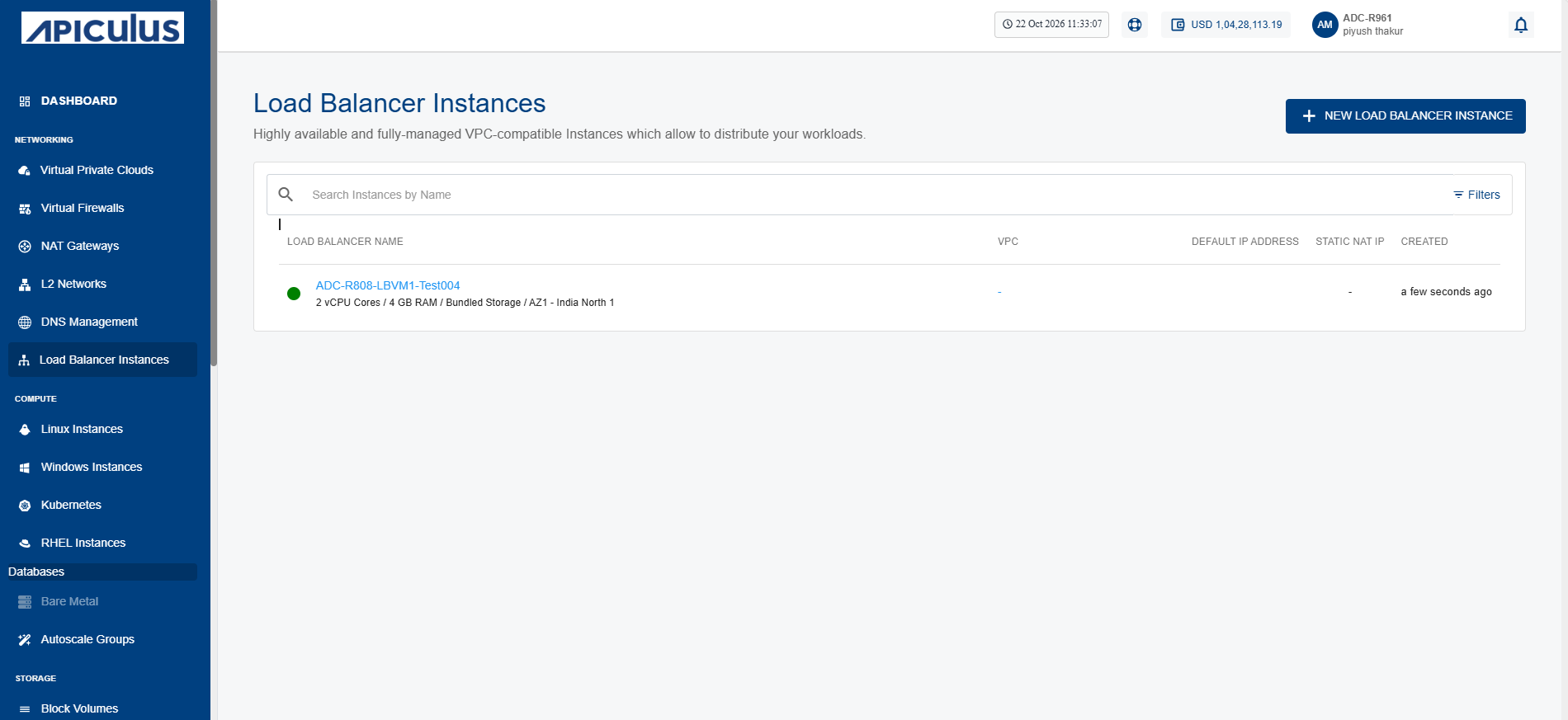
- Click on your created load balancer instance name from the list.
- Click Access. The following screen appears:
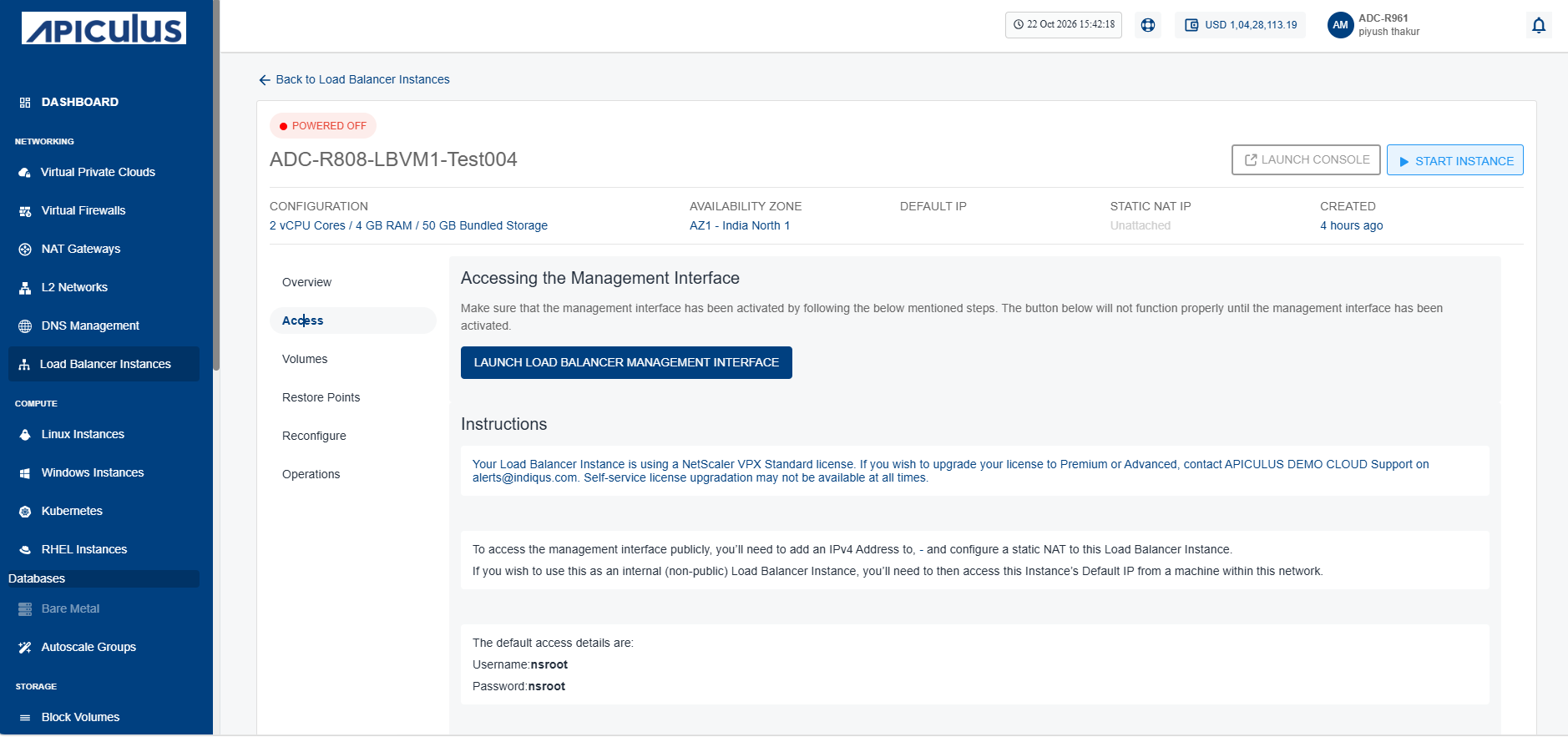
- Click the Launch Load Balancer Management Interface button to open the load balancer management console, where you can configure, monitor, and manage the selected load balancer instance.