Managing Instance Restore Point
Instance restore points help protect your load balancer instances by creating point-in-time recovery snapshots. You can create restore points before performing maintenance, configuration changes, or updates, and restore the instance to a previous state if required. You can also delete restore points that are no longer needed to optimize resource usage. This section explains how to create, restore, and delete instance restore points for a load balancer instance.
This section comprises of the following sub-sections:
- Creating an Instance Restore Point
- Restoring an Instance Restore Point
- Deleting an Instance Restore Point
Creating an Instance Restore Point
Creating an instance restore point allows you to capture the current state of a load balancer instance. A restore point serves as a recovery restore point that can be used to revert the instance to a previous state if required. This helps preserve the existing configuration before making changes, performing maintenance, or applying updates, ensuring improved reliability and simplified recovery when needed.
To create an instance restore point, follow these steps:
- Navigate to Networking > Load Balancer Instances. The following screen appears:
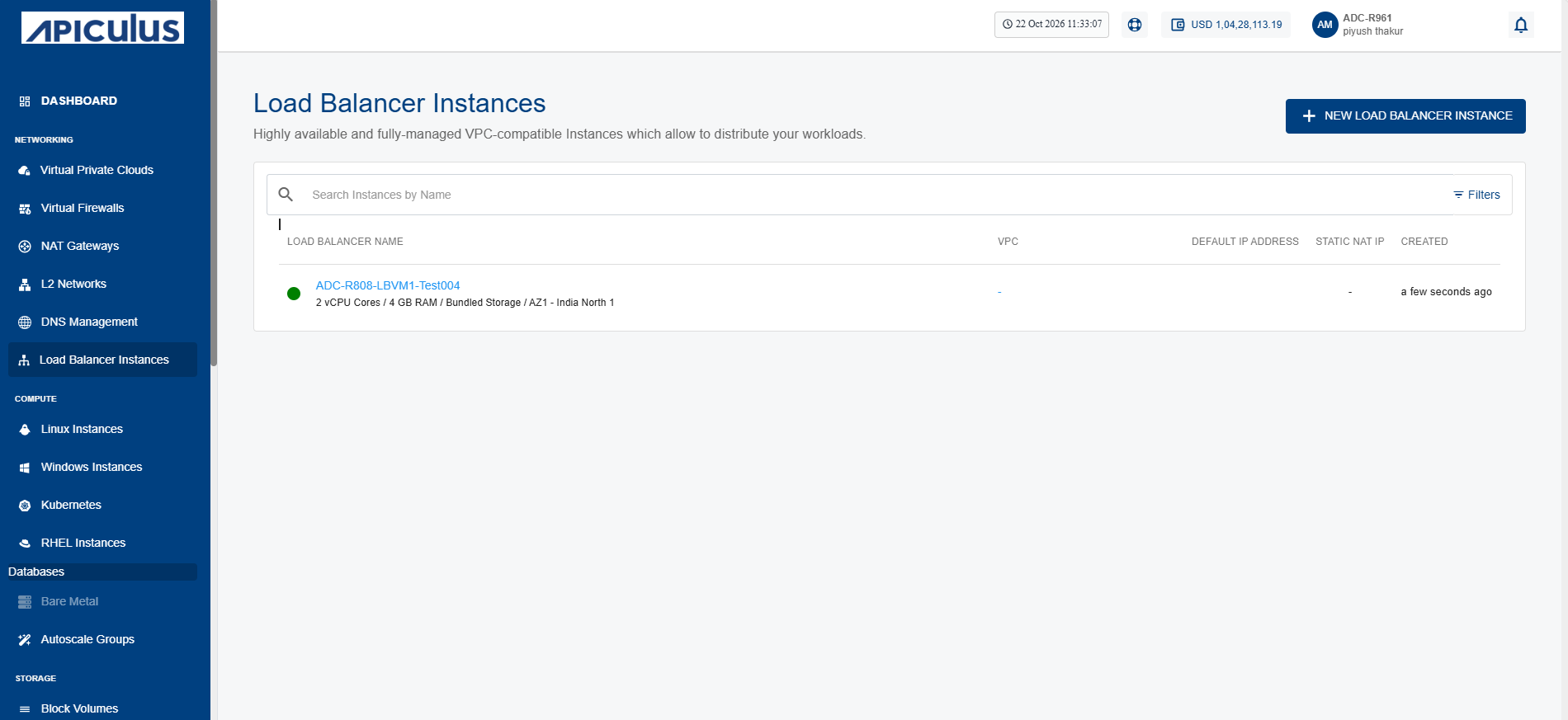
- Click on your created load balancer instance name from the list.
- Click Restore Points. The following screen appears:
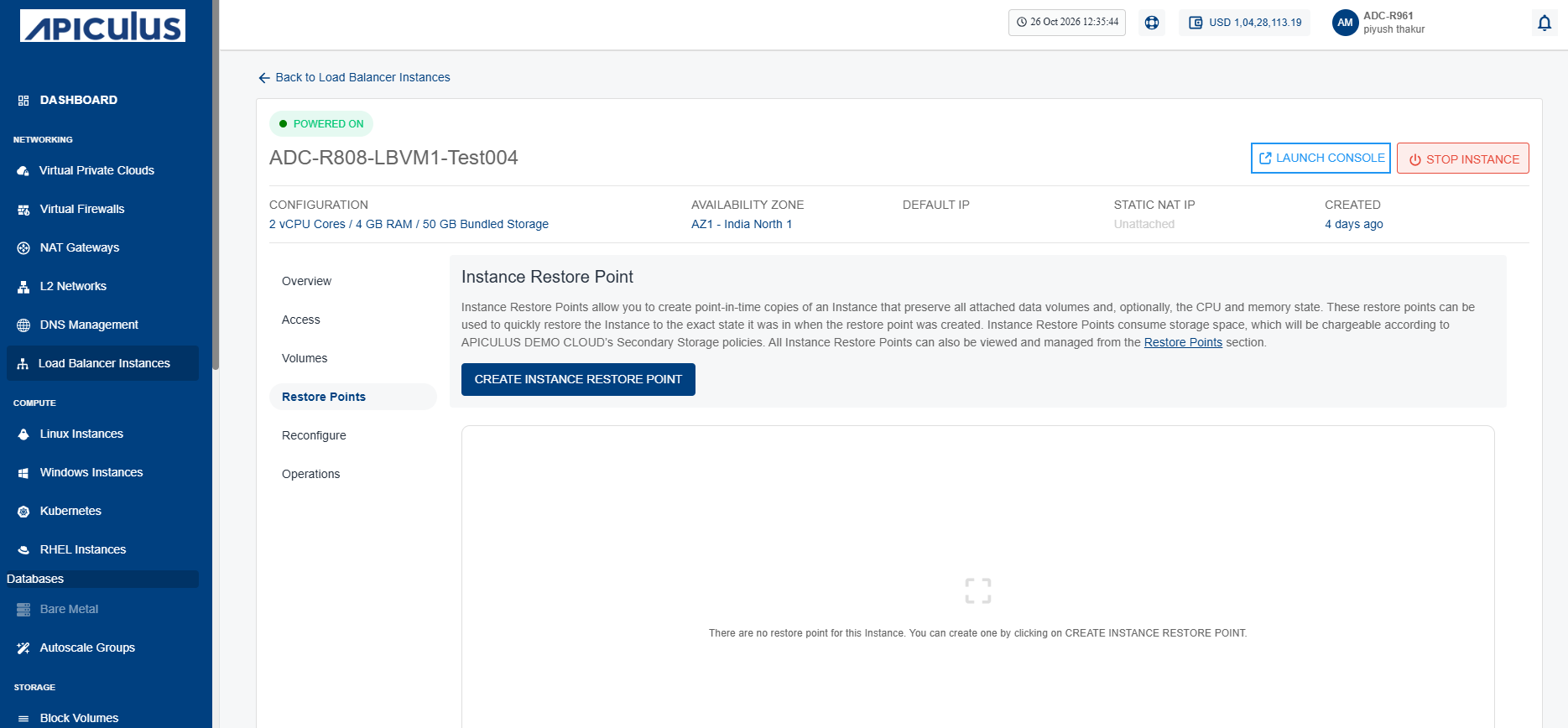
- Click the Create Instance Restore Point button. The following screen appears where you provide the required details:
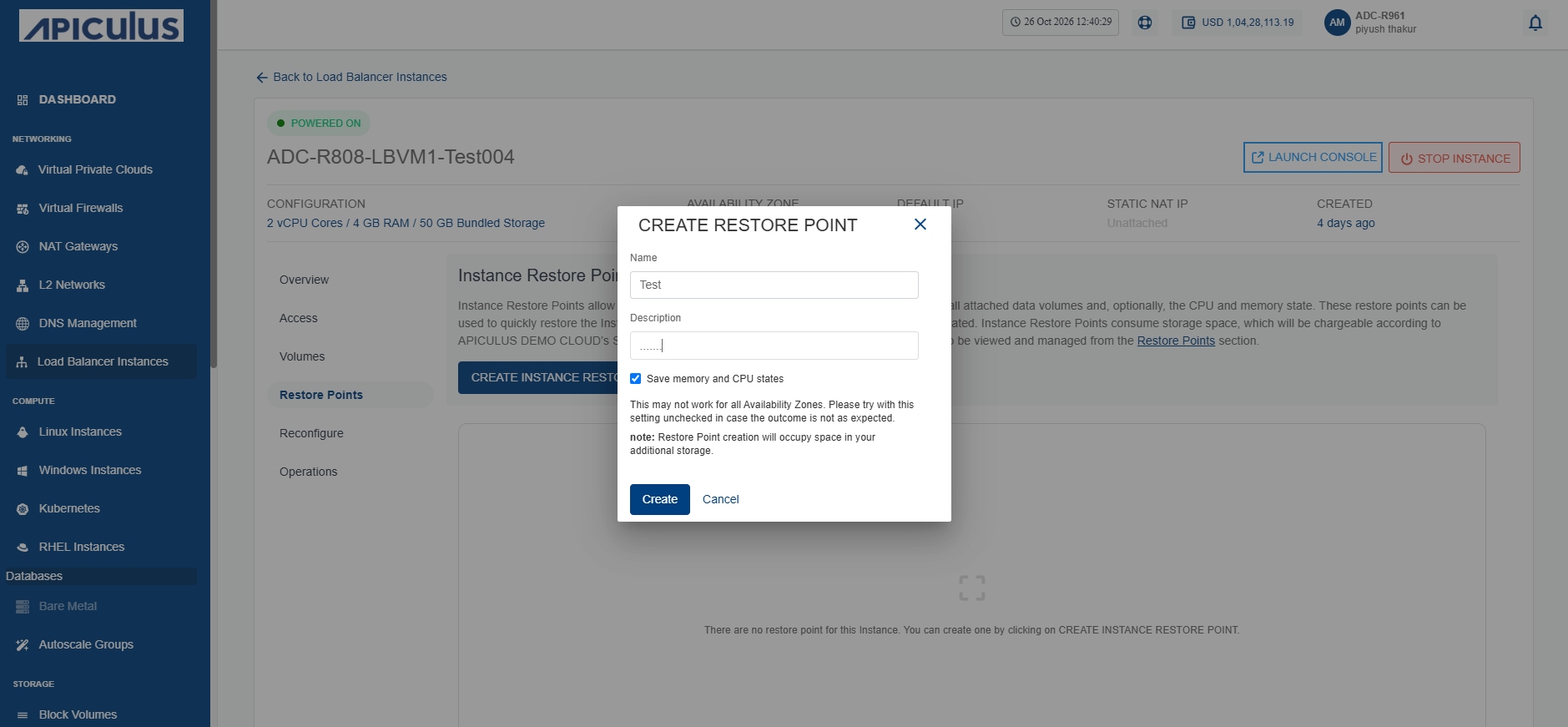
- Click the Create button.
Restoring an Instance Restore Point
Restoring an instance from a restore point reverts the load balancer instance to a previously saved state. This operation restores the instance configuration and data captured at the selected restore point, allowing you to recover from configuration errors, failed updates, or other unexpected issues. Restoring a restore point helps minimize service disruption, ensures business continuity, and provides a reliable method to recover the load balancer instance to a known working state.
To restore an instance restore point, follow these steps:
- Navigate to Networking > Load Balancer Instances. The following screen appears:
- Click on your created load balancer instance name from the list.
- Click Restore Points. The following screen appears:
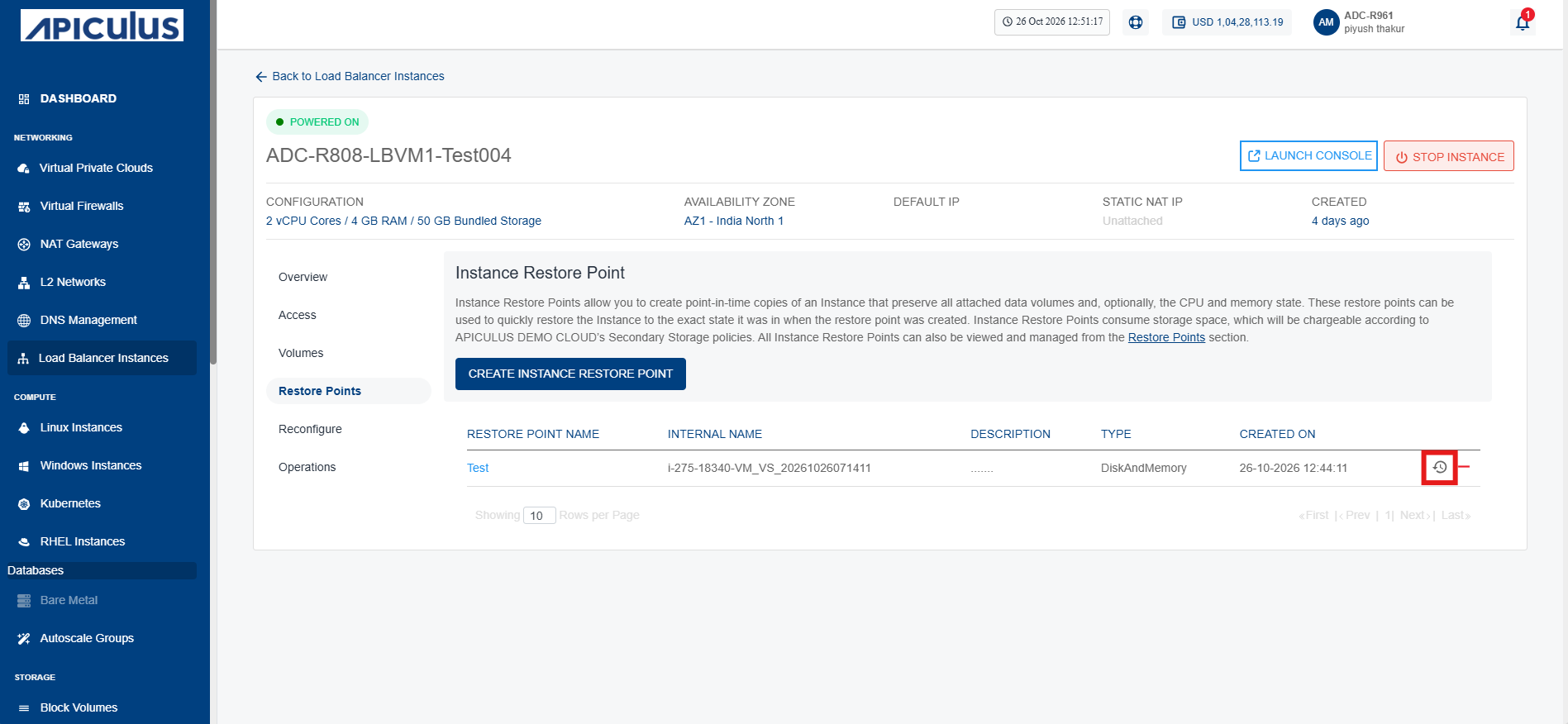
- Click the Restore from Instance Restore Point icon (highlighted in red). The following screen appears:
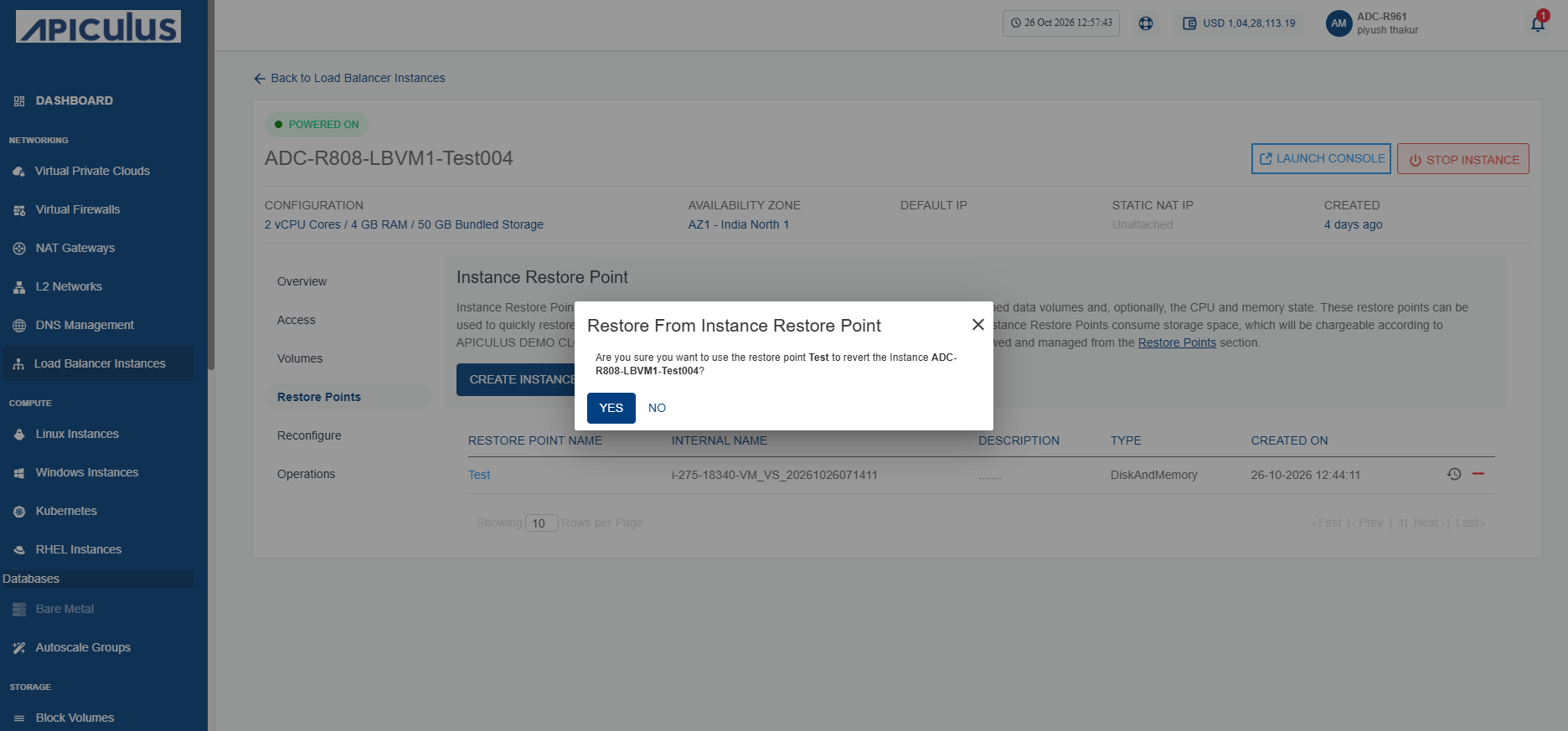
- Click the Yes button.
Deleting an Instance Restore Point
Deleting a restore point permanently removes a saved recovery point from the load balancer instance. You can delete restore points that are no longer required to free up storage and keep your restore point list organized. Before deleting a restore point, ensure that it is no longer needed for future recovery, as the action is irreversible and the restore point cannot be recovered once deleted.
This action can not be reversed.
To delete an instance restore point, follow these steps:
- Navigate to Networking > Load Balancer Instances. The following screen appears:
- Click on your created load balancer instance name from the list.
- Click Restore Points. The following screen appears:
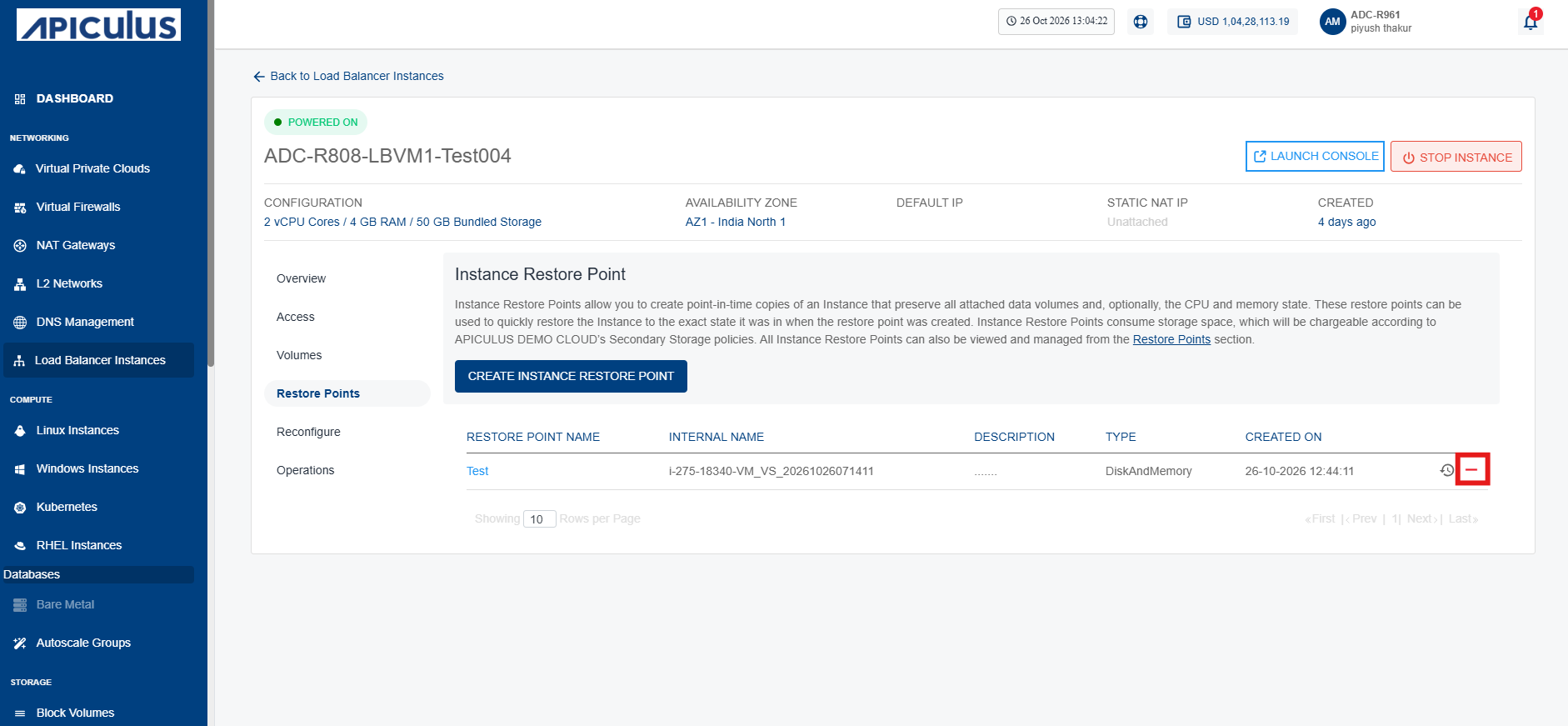
- Click the Delete Restore Point icon. The following screen appears:
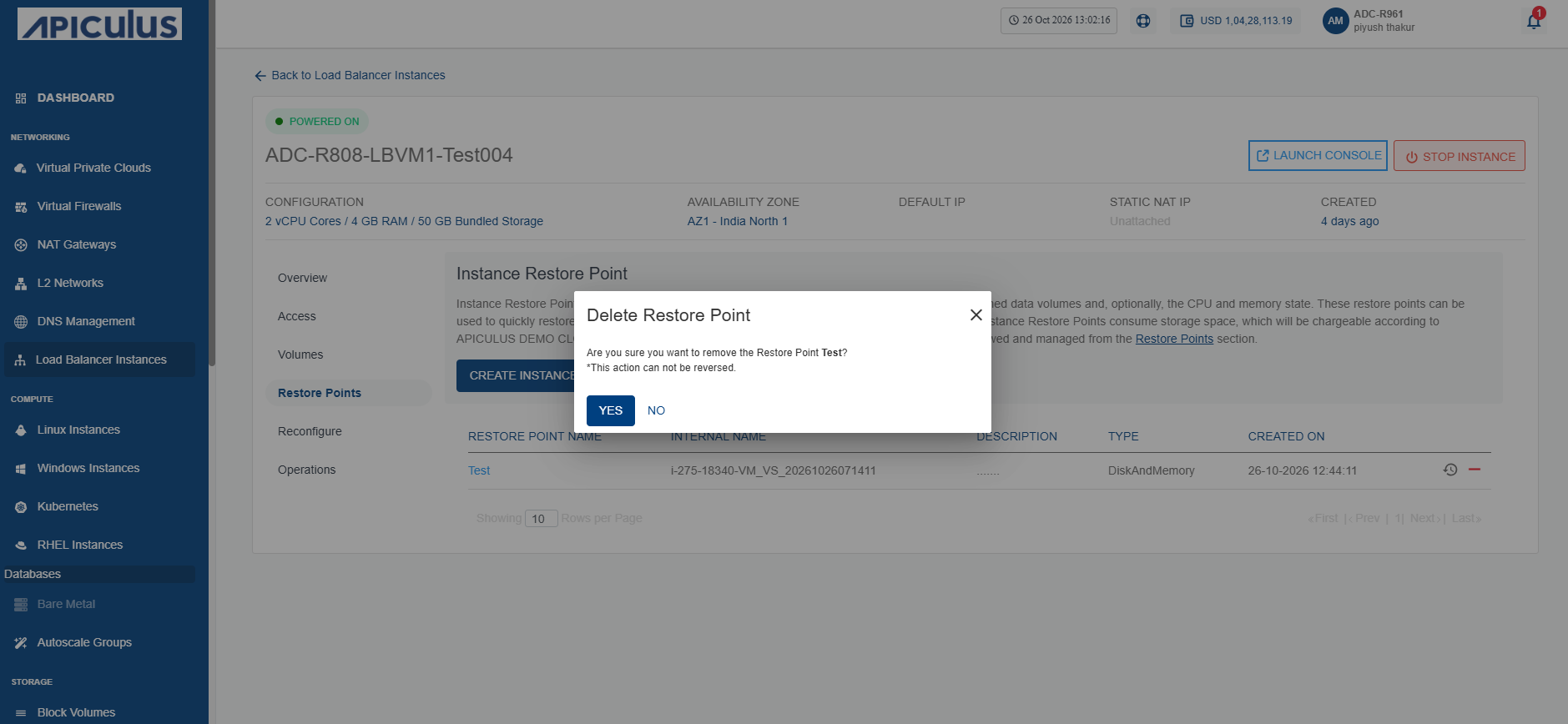
- Click the Yes button. The restore point is deleted.