Overview
To view the below details, navigate to RHEL Instance and select a RHEL Instance and access the Overview tab.
Configuration and Availability
The instance's status, RUNNING, is displayed in green, whereas STOPPED is displayed in greyed out.
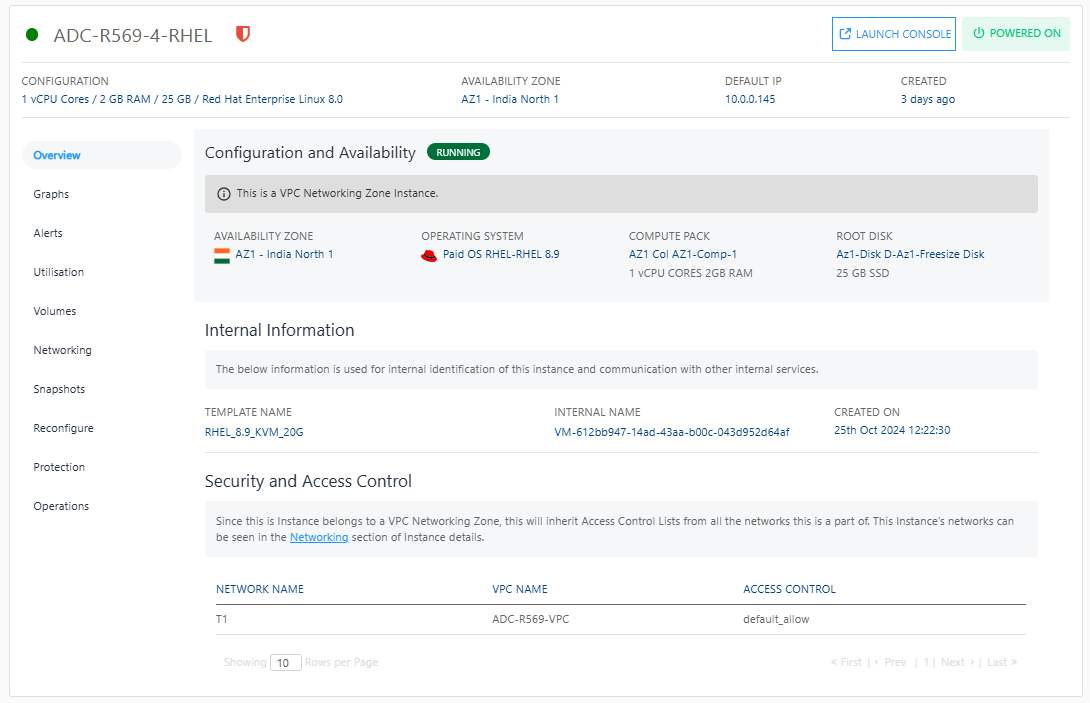
Internal Information
This displays the information that is used for internal identification of this instance and communication with other internal services.
- Template Name
- Internal Name
- Created On
Security and Access Control
The following information is avaialble:
- Network Name
- VPC Name
- Access Control