Networking Management
To view the networks of a particular Instance is attached to, navigate to RHEL Instances, and access the Networking tab.
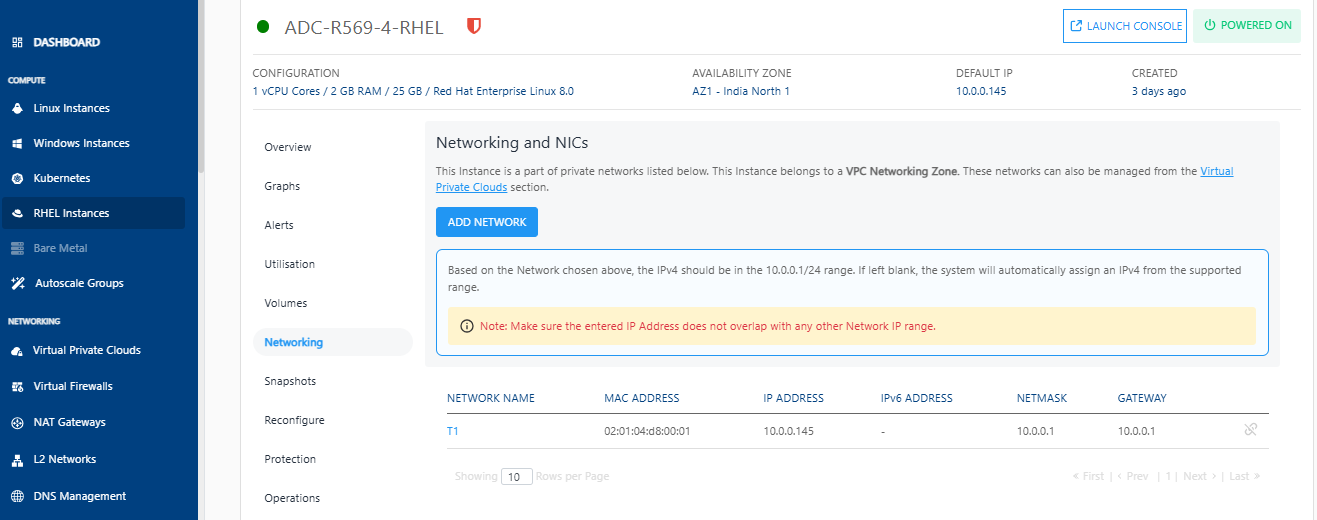
The following actions are available:
- If the Instance is inside a VPC, you can associate the Instance to multiple tiers within the VPC or share the Instance with other VPC networks in the same Availability Zone by using the ADD NETWORK option.
- Network/tier associations can be removed from this section by using the Unlink action.
note
Advanced networking configurations can be done using the Virtual Private Clouds service.