Managing Service Provider Profile
The profile consists of all the service provider (SP) details; admins can configure all the details straight from the name of the cloud they will offer as to the address.
To manage the service provider profile, navigate to Administration > Settings.
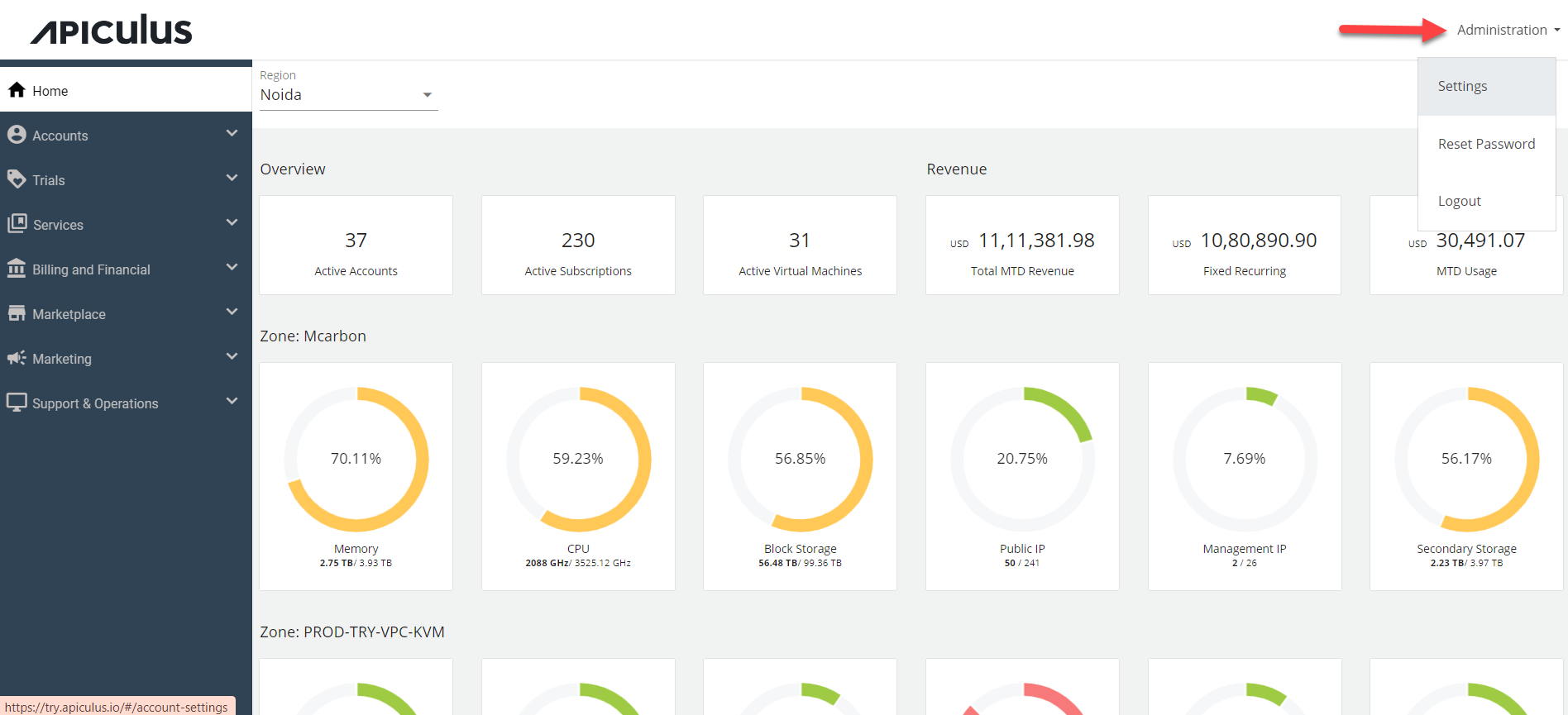
The following screen appears:
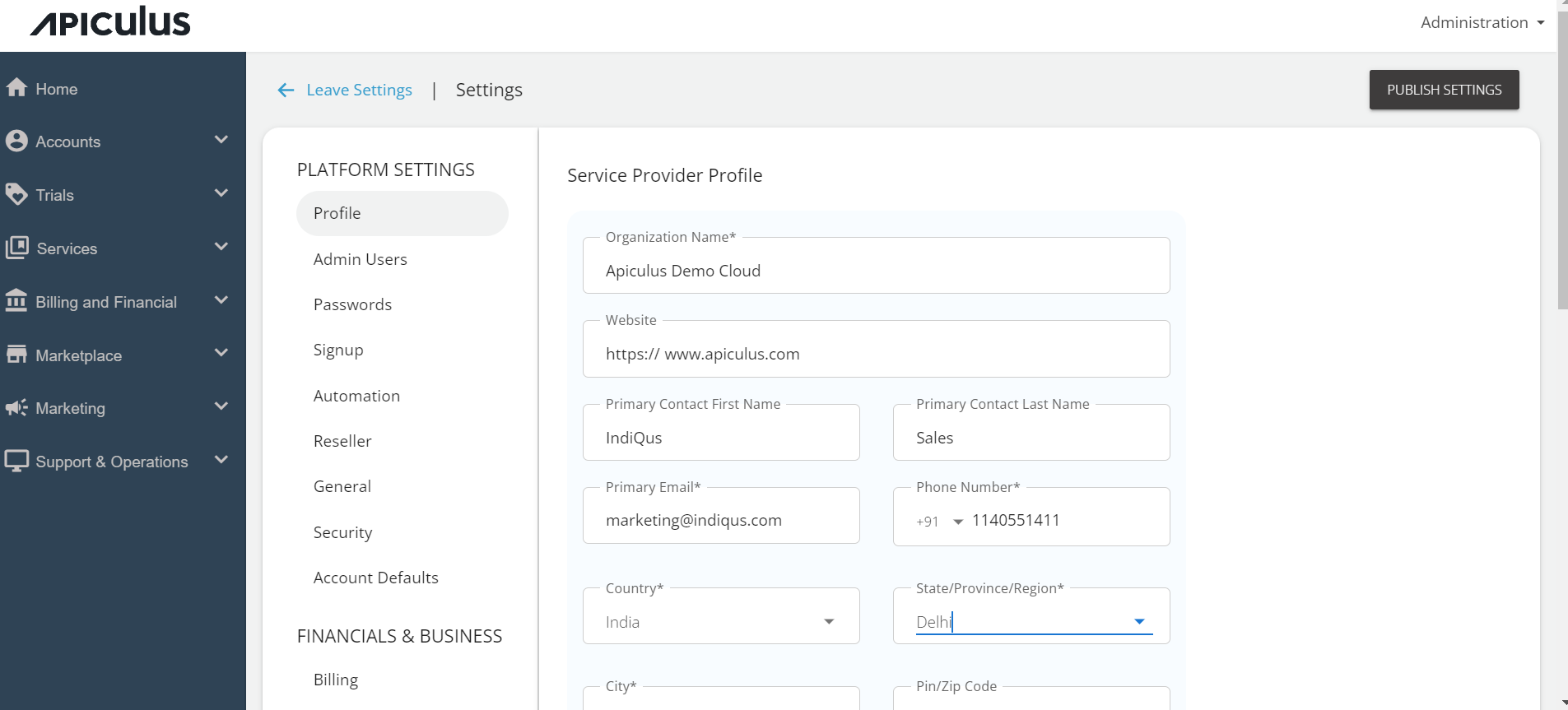
Under Profile, enter the following details, and click Update.
- Organization Name - The name of the cloud by which service provider wants to deliver the services in the market.
- Website - Specify the URL of the organization website.
- Primary Contact Name - Enter the service provider’s contact person’s name.
- Primary Email - Specify the service provider’s email address.
- Primary Number - Specify the service provider’s phone number.
- Address - Enter the service provider’s address and the Zip code.